GTasks
GTasks is an Android productivity application that helps you organize, prioritize, and synchronize your daily to-do lists and recurring reminders.
App information
- Category
- Tools
- Package name
- com.mile.android.gotasks
- Version
- 1.1.19
- File size
- 155 KB
- Requires
- Android 2.3+
Screenshots
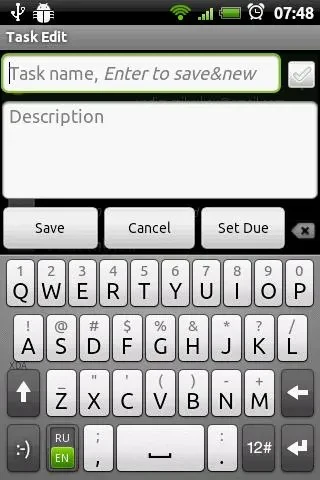
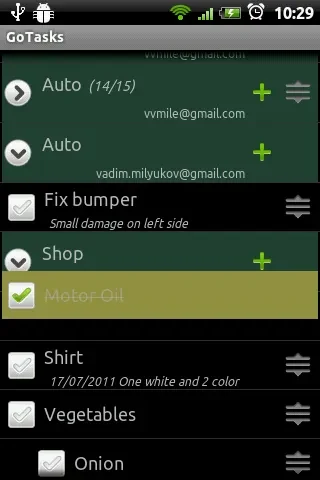
About this app
GTasks is a task reminder tool for Android devices designed to streamline daily scheduling and boost productivity through flexible organization options. The application addresses the common challenge of managing multiple responsibilities by letting users batch-manage to-dos, view commitments inside the system calendar, and configure custom synchronization behaviors. Its clearest benefit lies in combining local flexibility with automatic Google account integration, giving you immediate control over your task lists across multiple devices without unnecessary complexity.
How do synchronization options work in GTasks?
The application supports automatic synchronization with multiple Google accounts alongside a standalone local mode for users who prefer not to sync online. You can customize your synchronization preferences to match your workflow by choosing automatic sync, manual control, or triggering sync actions specifically when opening, exiting, or running in the background. Additionally, the tool allows tasks to be imported from other applications to help consolidate all your planning in one place.
What tools are available for organizing and sorting tasks?
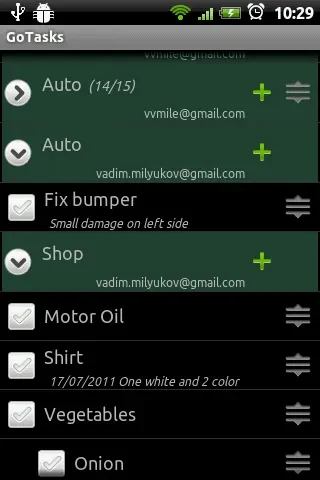
GTasks provides bulk action controls that let you indent, move, set due dates, and delete multiple tasks at once. Subtasks can be created easily through indentation, and you can sort priorities by due date, name, creation time, or priority level. Rearranging items is straightforward using drag-and-drop functionality, while horizontal scrolling allows you to quickly switch between different individual tasks and complete task lists.
How can tasks be added and accessed quickly?
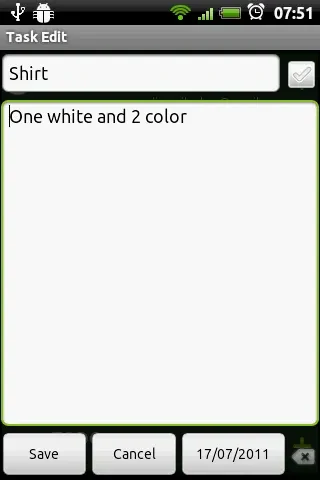
Users can add new entries rapidly by batch-adding tasks, pressing the search key for quick entry, or utilizing the 'note to self' voice command via Google Now for hands-free convenience. For continuous visibility, you can place scrolling home screen widgets on supported launchers like LauncherPro, ADWLauncher, or GO Launcher. The app also features built-in quick search capabilities and advanced reminder settings.
Who will find GTasks most useful?
This application suits individuals who need a versatile mobile task manager that integrates smoothly with Google accounts and system calendars while supporting offline local usage. It is particularly helpful for users who want to delegate tasks by sending items directly to friends, family, and colleagues, or anyone looking to maintain constant visibility of their daily commitments using customizable home screen widgets and advanced sorting methods.
Version history
View all10 Sep 2026 · stable
Frequently asked questions
What permissions does GTasks require?
The application requests permissions to access your contacts, phone status, microphone, and calendar in order to support its full range of features.
Can I view my tasks inside a calendar?
Yes, GTasks allows you to view your scheduled tasks directly within the system calendar for a clearer overview of your commitments.