

Advanced Task Manager
Advanced Task Manager helps Android users monitor system performance, terminate background processes, and optimize device resources through a straightforward interface.
App information
- Category
- Tools
- Package name
- mobi.infolife.taskmanager
- Version
- 6.1.0
- File size
- 4.1 MB
- Requires
- Android 2.2+
Screenshots
About this app
Advanced Task Manager is a CPU and memory management tool designed for Android devices to help users monitor real-time memory usage and terminate background tasks with a single tap. The application addresses the need for efficient resource tracking and device optimization by offering features such as automated task termination, bulk notifications, app searching, and a 1x1 widget for quick actions. Users can benefit from maintaining device efficiency through a straightforward interface, supporting various monitoring needs across different device usage styles.
How do you monitor and terminate tasks quickly?
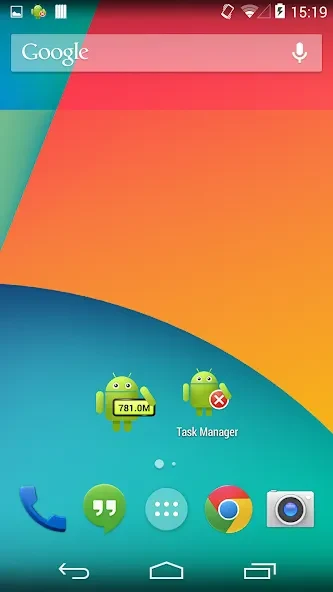
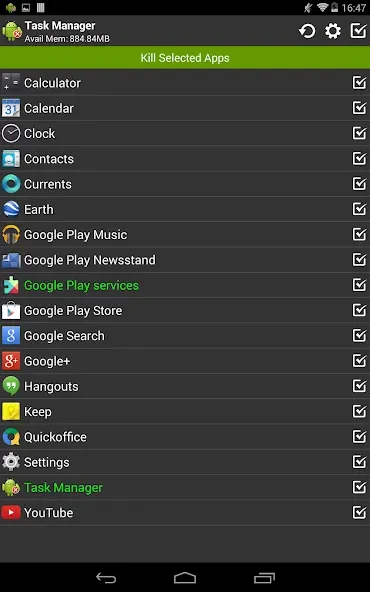
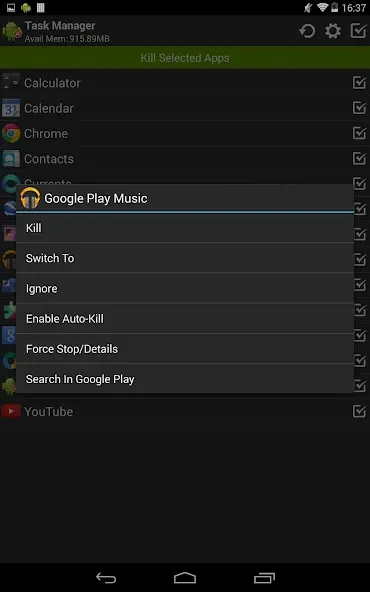
The application provides a 1x1 widget that allows users to monitor memory usage, quickly kill tasks, or launch applications directly from the home screen with a single click. Users can sort tasks by name, perform bulk selections, and utilize a context menu to switch, uninstall, ignore, auto-kill, or search for specific applications. For devices with root access, the app also supports directly force-stopping tasks.
What automated features are available for resource management?
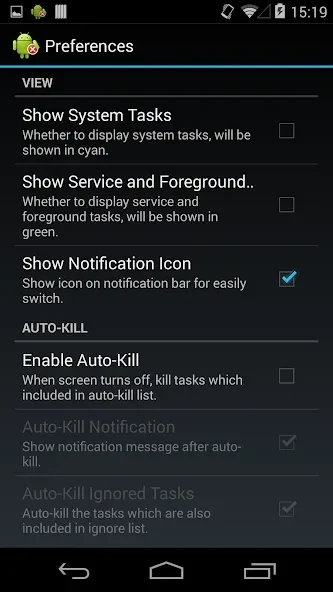
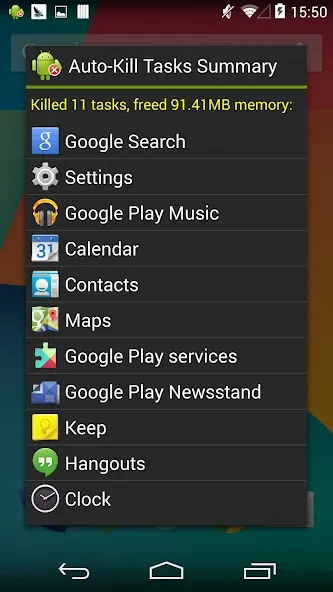
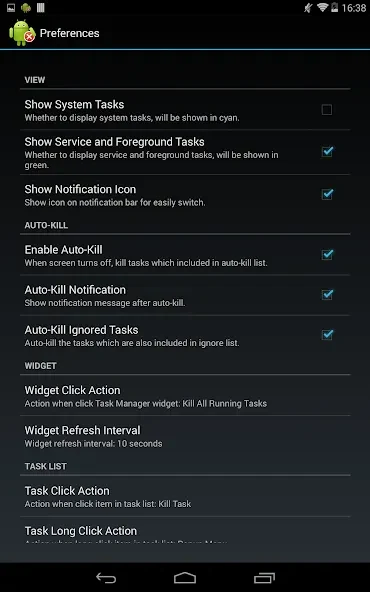
Advanced Task Manager includes automated responses and an auto-kill task function that triggers when the screen turns off. To prevent essential tools from closing during optimization, users can configure an ignore list to protect preferred applications when running task-killing operations.
How can different professionals utilize the performance metrics?
Gamers can track gaming performance and system temperature indicators by monitoring GPU, GPU engine, and power usage. Content creators can focus on CPU, GPU engine, and memory columns to check rendering and editing performance. Additionally, business users can observe network, disc, and power usage trends to maintain efficient resource utilization throughout the workday.
Who might find this task management tool useful?
This utility is well-suited for Android users looking to keep track of system resource consumption, clear RAM by terminating unwanted background processes, and manage app installations directly from their devices. Its combination of real-time metrics, widget shortcuts, and configurable ignore lists provides a flexible approach to device maintenance.
Version history
View all11 Sep 2026 · stable
Frequently asked questions
What Android versions are supported by Advanced Task Manager?
The application supports Android 2.2 and above, with specific mentions of support for Android 4.3 and newer depending on added modules like the permission manager add-on.
Can the app automatically clear tasks when the phone is not in use?
Yes, it features an auto-kill task function that activates when the device screen turns off.