

iFont
iFont lets users change system fonts on compatible phones and tablets while offering size adjustments and custom file imports.
App information
- Category
- Other Apps
- Package name
- com.kapp.ifont
- Version
- 5.9.9.251122
- File size
- 21.7 MB
- Requires
- Android 4.0+
Screenshots
About this app
iFont enables Android users to replace the default system font on their devices, providing a straightforward way to personalize the appearance of their phone's interface. This is particularly useful for those seeking to refresh the look of their device without relying on complex procedures or external tools. The app supports direct font changes on Samsung, Xiaomi MIUI, Meizu, and Huawei Emotion UI devices, while HTC, Sony, and Motorola phones require root access beforehand. Users can also modify font sizes and import their own font files in formats such as TTF, OTF, TTC, or ZIP. Automatic backup ensures the original font can be restored easily if needed.
Supported Devices and Setup Needs
The application integrates directly with several major Android brands to allow font replacement without additional steps. Samsung, Xiaomi running MIUI, Meizu, and Huawei devices using Emotion UI receive perfect support for swapping fonts immediately after installation. For HTC, Sony, and Motorola models, root access must be obtained first through separate utilities before the font change can proceed. Once set up, the app operates within the system to apply selections across the interface.
Font Selection and Personalization
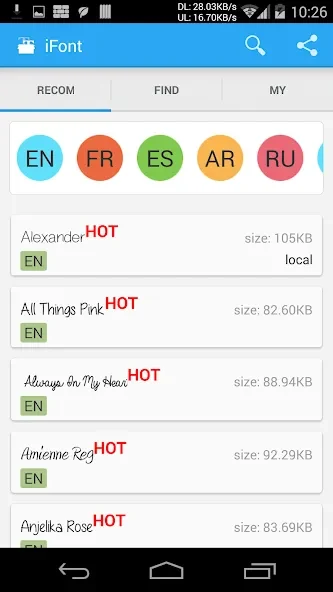
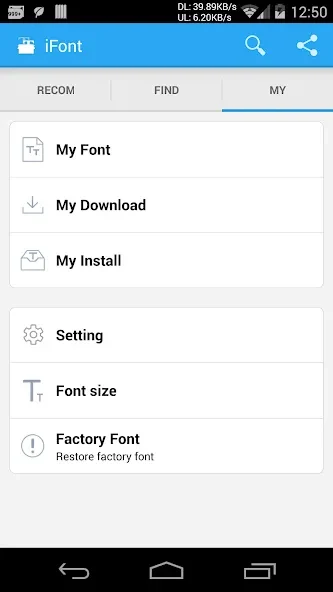
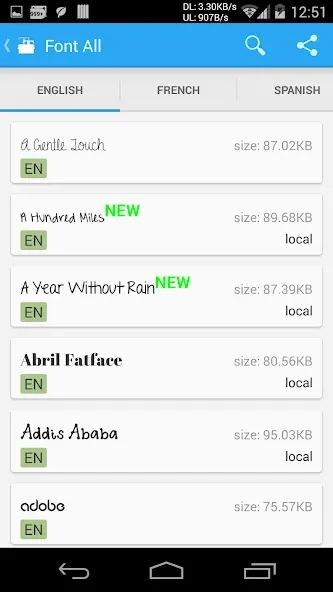
Fonts available through the library are handpicked for visual quality and include a range of styles such as italics and varied character designs. Each option carries its own distinct appearance, allowing users to match preferences for different themes or moods. In addition to style choices, the tool provides controls to increase or decrease font size from small to large values. Custom files can be loaded directly, expanding options beyond the built-in collection.
Usage and Restoration Features
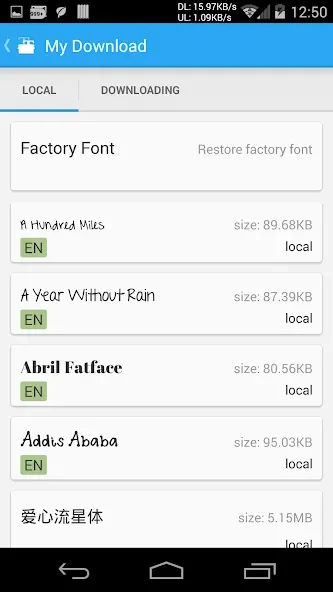
Changing a font involves selecting a preferred style and completing the installation through the app's streamlined process, which removes the need for lengthy manual operations. The automatic backup function creates a copy of the original font at the start, enabling quick reversion to factory settings when desired. These elements work together so that users can experiment with new looks and return to a prior state without data loss or extra effort.
Considerations for Different Users
Success with font changes depends on the specific device model, as not every Android phone permits alterations without prior root access. The app requires no jailbreak on any supported device and remains safe for standard use. Optional premium access expands the number of downloadable fonts from the library while basic import and install functions stay free.
Version history
View all11 Sep 2026 · stable
Frequently asked questions
Is iFont free?
iFont is free to download, and importing and installing your own font files (.ttf, .otf, .ttc, .zip) is free. An optional Premium subscription unlocks unlimited downloads from the built-in font library.
Which apps can use fonts installed with iFont?
Any app that supports the system font picker, including Pages, Keynote, Numbers, GoodNotes, LumaFusion, Linearity Curve, and Microsoft Word.
Is installing fonts with iFont safe? Do I need to jailbreak?
iFont is safe and no jailbreak is required.