
iSmart VPN
GrayBlueITiSmart VPN is an Android VPN app focused on straightforward connections, unlimited bandwidth, encryption, and access to servers in different countries. It also includes settings intended for streaming and automatic connections.
App information
- Developer
- GrayBlueIT
- Category
- Tools
- Package name
- com.isignintl.ismartguard
- Version
- 1.0
- File size
- 1.6 MB
- Requires
- Android Language:
Screenshots
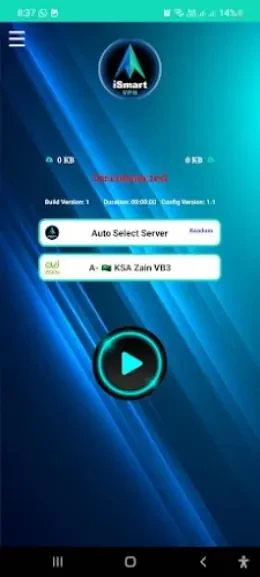
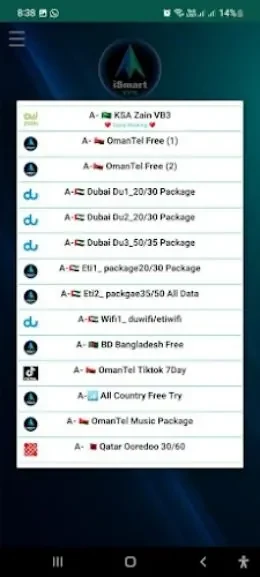
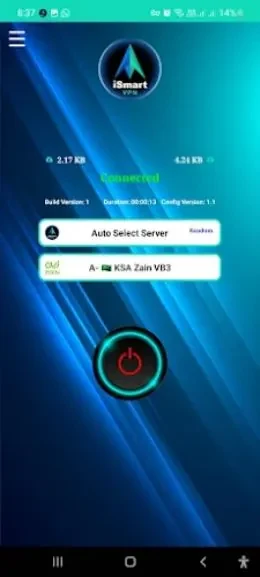
About this app
Overview
iSmart VPN is an Android VPN app designed to make private network connections accessible through a simple interface. It supports connecting to VPN servers in different countries, giving users a way to route their internet activity through another location. The source describes unlimited bandwidth for browsing, streaming, and downloading, along with encryption intended to help protect personal and sensitive information. Its feature set is aimed at both experienced VPN users and beginners, with connection controls, global server access, streaming-related settings, and an auto-connect option gathered into one tool.
What You Can Do
⭐ Connect to a VPN network through an intuitive interface. The app is described as requiring only a few taps, making the basic connection process suitable for users who do not want complicated controls.
⭐ Use unlimited bandwidth for regular browsing, streaming, and downloads. According to the supplied information, the service does not impose a stated data cap on these activities.
⭐ Apply encryption to online activity. iSmart VPN is described as using robust encryption to help keep personal information and sensitive data private while connected.
⭐ Choose servers in different countries. Its global server network is intended to let users connect through other locations and reach content or websites that may be restricted in their region.
⭐ Adjust the connection for streaming. The source mentions a streaming mode that users can enable when they want to address throttling or buffering issues during streaming.
Using the App
The suggested workflow starts with selecting a server and connecting from the main interface. For general use, choosing a server near your physical location is recommended because it may provide faster speeds and lower latency. If streaming is the priority, users can enable the stated streaming mode in the settings. The auto-connect option can also be enabled so the app connects to the VPN network automatically whenever internet access is used, reducing the need to start each session manually.
Why It May Appeal
✅ The uncomplicated connection flow can suit both newcomers and users who prefer a lightweight VPN control experience.
✅ Unlimited bandwidth is useful for people who want to browse, stream, or download without a stated usage limit.
✅ Global server selection provides more flexibility than connecting through only one location, particularly for users looking for access through different countries.
✅ Auto-connect offers a convenient way to make VPN use part of a regular internet routine rather than a repeated manual task.
Things to Consider
❎ Connection speed and latency can depend on the selected server and its distance from the user. The supplied guidance therefore recommends trying the nearest available server for smoother performance.
❎ Access to region-restricted websites or content can depend on the destination service and the server connection, so the global server feature should not be treated as a guarantee that every restriction will be bypassed.
Version history
View all14 Oct 2024 · stable
Frequently asked questions
What is iSmart VPN used for?
iSmart VPN is used to connect an Android device to VPN servers in different countries, with features for browsing, streaming, downloads, and privacy-focused connections.
Does iSmart VPN offer unlimited bandwidth?
The supplied app information describes iSmart VPN as offering unlimited bandwidth for browsing, streaming, and downloading.
Can iSmart VPN connect automatically?
Yes. The source mentions an auto-connect feature that can connect the app to the VPN network automatically when you access the internet.
How can users improve connection performance?
The provided guidance recommends choosing a server close to your physical location to help reduce latency and support faster connections.