

HideX
HideX combines a photo and file vault, app-hiding tools, cloud backup, and a private browser in one Android utility. It can disguise its interface as a calculator and supports PIN, pattern, multiple-vault, and break-in alert features.
App information
- Category
- Tools
- Package name
- com.flatfish.cal.privacy
- Version
- 3.5.17.4
- File size
- 32.5 MB
- Requires
- Android Votes:546
Screenshots

About this app
HideX is an Android privacy utility for storing private photos, videos, applications, and other files away from the main device space. Its main task is to combine a media vault, app-hiding tools, cloud storage, and a private browser in one place. Photos and videos can be detected and imported into the vault, while PIN and pattern codes help control access. HideX can also appear as a calculator, giving users a less obvious way to open the protected area and manage selected files and apps.
How does HideX protect photos, videos, and other files?
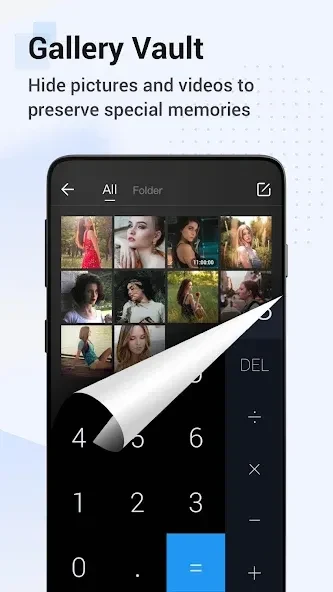
HideX automatically detects and recognizes photos and videos on the device, then lets users import them into a private vault. The vault can hold pictures, videos, photo albums, and other file types, including folders and text files. Users can locate, move, rename, delete, sort, and otherwise manage items inside the hidden space.
Access can be protected with a PIN code or pattern lock. The app also supports a private calculator-style vault, so the protected files are presented through a disguised interface rather than a conventional photo vault screen.
Can HideX hide or clone other Android apps?
HideX includes an app hider that can clone or hide apps from different categories. After an app is imported and launched in the calculator vault, it can be used in both the outside space and the hidden space at the same time. Users can also remove the outside version when they want the app to remain only in the hidden area.
This function works alongside PIN and pattern protection for apps. The available controls are intended for separating selected applications from the regular device space, rather than simply organizing them into folders.
What do the cloud storage and browser features provide?
Cloud backup and cloud storage are available for hidden items. HideX describes this storage as a way to expand the space available for files and includes automatic syncing or backup to help retain stored items. This can be useful when the hidden vault contains more media than the device has room to keep locally.
The app also provides a private browser with a VPN service. According to the supplied information, the browser is designed for browsing without exposing browsing history to other people using the phone, and it can download videos from different websites. These functions are separate from the local file and app vault but are included in the same utility.
How can the app be disguised and organized?
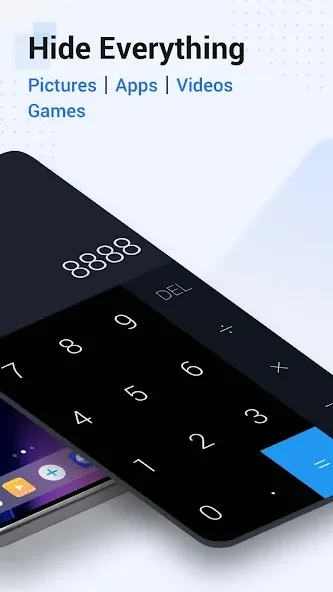
HideX can be disguised as a calculator with normal calculating functions. Its icon can also be changed, giving users additional control over how the app appears on the device. The calculator presentation is used as the entry point for the photo vault and app-hiding functions.
The utility supports multiple secret vaults with different passwords, allowing users to separate files and hidden applications. It also offers fake calculator vaults and parallel space. These options provide different hidden areas rather than requiring every protected item to be kept in one vault.
What happens after an unsuccessful unlock attempt?
HideX includes a break-in alert that can be turned on for the calculator vault. When an unsuccessful attempt is made to unlock it, the feature automatically takes a photo of the person attempting to enter. This gives the user an intrusion record to review later, provided the alert has been enabled.
Overall, HideX may be useful to Android users who want one tool for private media, hidden or cloned apps, separated vaults, cloud-backed items, and a disguised calculator interface. Its features are focused on controlling access and organizing selected content inside private spaces.
Version history
View all26 Aug 2026 · stable
Frequently asked questions
Will hidden data be deleted if HideX is uninstalled?
The supplied information says the data remains in encrypted form after the HideX APK is deleted. It says the data can be decrypted after reinstalling HideX or another app that uses the same encryption method.
Can HideX hide TXT files and folders?
Yes. The source states that HideX can hide any type of file and folder, which includes .txt files.
Does HideX work on iOS?
No. The supplied information describes HideX as available on Android devices and says it does not work on iOS devices.