

Devo Bible Quiz
Salem Media GroupDevo Bible Quiz is a Bible-focused trivia game covering stories, characters, events, books, and major themes from the Old and New Testaments. Players answer multiple-choice or true/false questions across study, timed, rapid-fire, and extended review modes, with selectable difficulty and local score tracking.
App information
- Developer
- Salem Media Group
- Category
- Puzzle
- Package name
- com.jctrois.devobiblequiz
- Version
- 1.9
- File size
- 6.5 MB
- Requires
- Android Language:
Screenshots


About this app
Devo Bible Quiz lets players review Bible knowledge by answering questions about stories, characters, events, books, and major themes from both the Old and New Testaments. Its questions use multiple-choice and true/false formats, making the central activity straightforward for short practice sessions, longer study periods, family game time, or classroom review.
Choose a format for the session
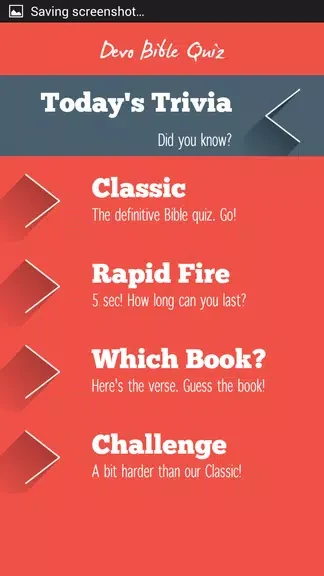
The game provides four documented modes with different pacing and intensity. Study mode removes the timer so players can consider each question without a countdown. Timed quiz mode adds focused time pressure, while rapid-fire mode presents a sequence of short questions intended for quick recall. Extended review mode supports a more comprehensive study session rather than a brief burst of questions.
These modes let players approach the same general subject in different ways. A user can work without a timer when reflection is the priority, select a timed format for concentrated practice, or use rapid-fire questions when speed is part of the exercise. The source also describes longer review sessions built around themed sets or book-by-book quizzes, although it does not define a separate story or level campaign.
Answer questions and receive feedback
Controls are limited to tapping an answer. Multiple-choice questions display several answer options, while true/false questions offer a binary choice. Questions appear on uncluttered cards with large, readable buttons, and timed rounds show a visible countdown bar so the remaining pace is clear.
After an answer, the game provides feedback indicating whether the response was correct or incorrect. Some questions also include brief explanatory notes that reinforce the subject being reviewed. The source describes the interface as using clean typography, strong contrast, minimal iconography, and large tap targets so the question content remains central and the controls are easy to identify.
Set the challenge and subject focus
Before a round, players choose among beginner, intermediate, and advanced difficulty. They can also select which question categories to emphasize, including people, events, books of the Bible, and major themes. These settings allow individual sessions to focus on a particular area of scripture or to vary the challenge as the player’s study needs change.
The question pool is organized into discrete category sets and different difficulty tiers. The source says this structure is intended to reduce repetition across sessions. Short rounds can be used for daily practice, while extended review can concentrate on a theme or a particular book. The available combinations support recall, comprehension, or speed-focused sessions without introducing complex controls.
Track results and ongoing practice
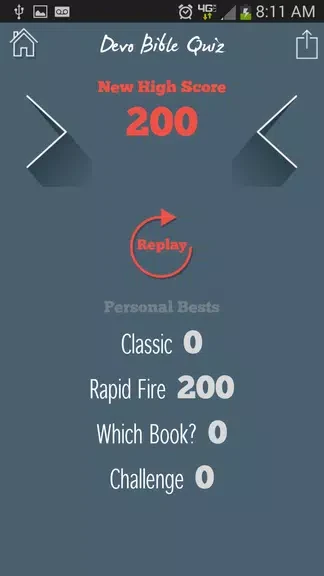
Results are represented through session points, a local high-score table, and category-based accuracy. Together, these records show performance within a session and indicate which subject areas may need more review. Streaks and cumulative scores are also described as rewards for consistent practice, and a daily bonus trivia question provides an additional recurring question.
The game stores progress data locally. The supplied information states that scores and progress do not use automatic cloud syncing or third-party sign-ins, and that basic play, question sets, timers, and local score tracking remain available offline. It also says users may share information through standard sharing tools if they choose.
Use it alone or with a group
Devo Bible Quiz supports solo study as well as small-group use on a shared device. A device can be passed between participants for shared rounds or classroom review. The combination of readable answer controls, selectable difficulty, category choices, and several pacing options is described as suitable for younger users, older adults, family groups, and individual learners.
The app remains focused on biblical trivia and recall rather than general knowledge or broad religious theory. Its documented structure therefore centers on choosing a question format and subject focus, answering each prompt, reviewing the resulting feedback, and using local scores or accuracy information to guide later practice.
Version history
View all04 Aug 2026 · stable
Frequently asked questions
Who is listed as the developer of Devo Bible Quiz?
The supplied listing identifies Salem Media Group as the developer.
What category is Devo Bible Quiz listed under?
The game is listed in the Puzzle category.