Chess 3d board game
Chess 3d board game delivers a tactile and clear virtual chess experience with twenty-five AI difficulty levels, local two-player matches, and flexible visual customization options.
App information
- Category
- Card
- Package name
- game.chess3d.chess.master.strategy.boardgame.free
- Version
- 1.6
- File size
- 31.5 MB
- Requires
- Android Language:
Screenshots
About this app
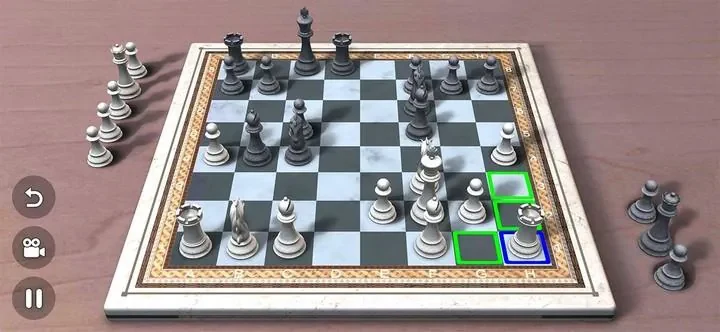
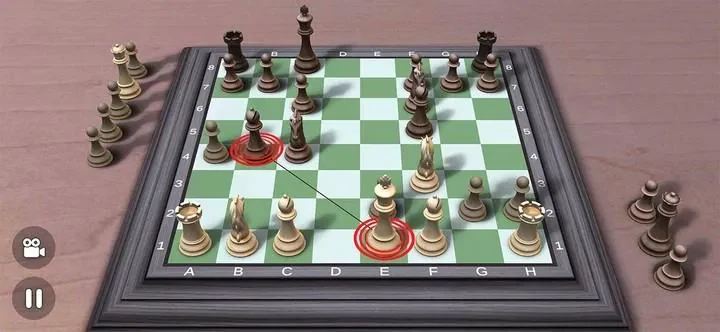
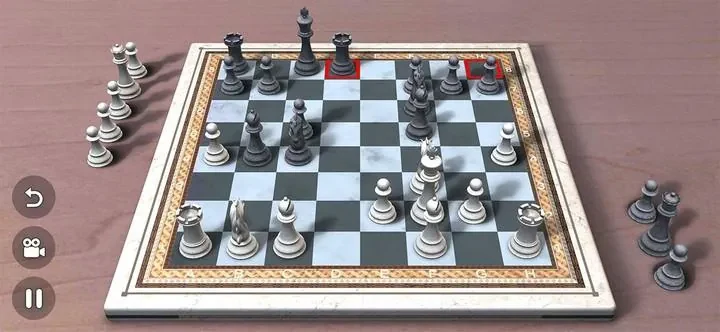
Chess 3d board game brings the classic strategy and calm concentration of chess into an attractive three-dimensional environment, letting you play and study matches on a virtual set that feels tactile and clear. In this edition, you can face a tuned computer across twenty-five difficulty levels, sit down for local head-to-head games with a friend on the same device, or simply enjoy adjusting the appearance and pacing of each match to suit study or casual play. The application provides realistic models, smooth animations, and configurable visual aids that make every position readable and enjoyable without crowding the board, supporting both focused training sessions and relaxed matches.
Immersive 3D Presentation and AI Difficulty Levels
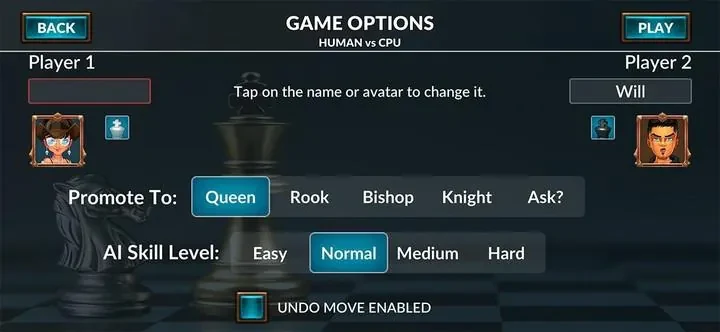
The artificial intelligence spans twenty-five distinct levels so beginners can learn basic tactics while stronger players receive subtle, strategic challenges. As you improve, you can step up to the next level to face more consistent tactics and deeper positional understanding from the engine. This gradual difficulty curve helps players build confidence and study specific phases of the game, from opening basics to endgame technique. For added practice, you can run repeated games at a chosen difficulty to test hypotheses about positions, or watch AI-versus-AI matches to observe games and study lines without playing every move yourself.
Touch Controls and Camera Management
Moves are made with intuitive touch controls where you can tap to select a piece and tap a destination to move, or drag pieces for a more tactile feel. Camera rotation and zoom let you inspect positions from different angles in the three-dimensional scene so you can follow complicated tactical sequences more easily. Animations are intentionally smooth and can be adjusted or simplified to speed up play when you want faster matches. Audio cues and move confirmations can be switched on or off, and visual helpers assist new players in learning legal moves while experienced players can dial those aids down for a cleaner look.
Board Customization and Visual Themes
Visual options let you tailor the board to your personal taste while preserving the clarity of pieces and squares. You can choose from different piece sets, table finishes, and color themes to emphasize contrast or create a softer look for long study sessions. The three-dimensional models include subtle materials and shading so pieces read well from multiple camera angles, making it easier to follow piece coordination and plan tactics without visual strain. These customization choices add replay value by allowing you to vary the playing environment to match your mood or study needs.
Offline Accessibility and Local Multiplayer
The application is designed for offline use so you can play and train without an internet connection, making it convenient for travel or low-connectivity situations. Accessibility is further supported through adjustable visual aids, color options that help with contrast, and the ability to slow down animations for clearer observation. Local multiplayer means two people can play on the same device without accounts or online setup. Additionally, the rendering engine is optimized for stable performance across a wide range of devices, reducing interruptions during long practice sessions and keeping animations consistent.
Version history
View all05 Aug 2026 · stable
Frequently asked questions
How many AI difficulty levels are available?
The computer opponent spans twenty-five distinct difficulty levels.
Can I play against another person on the same device?
Yes, the app includes local head-to-head games for two players on a single device.
Does the game require an active internet connection?
No, the application is designed for offline use so you can play and train without internet access.
What kind of visual aids can be toggled?
You can toggle valid-move highlights, last-move trails, and thinking indicators.