

VPN Proxy - Secure VPN
AppGeniusTech InnovationVPN Proxy - Secure VPN connects your device through a VPN server to change the IP address presented to websites and applications. It also describes support for accessing blocked or region-restricted content, anonymous browsing, encrypted traffic, server selection, connection-speed testing, and auto-connect.
App information
- Developer
- AppGeniusTech Innovation
- Category
- Tools
- Package name
- com.MobileLab.vpn.proxy.free
- Version
- 1.0.0
- File size
- 21.5 MB
- Requires
- Android Language:
Screenshots


About this app
VPN Proxy - Secure VPN provides a VPN connection that changes the IP address shown to online services and routes traffic through a selected VPN server. Its documented purpose is to support privacy-focused browsing and access to websites or applications that may be unavailable because of provider or regional restrictions.
Changing the routed IP address
The app can replace the device's apparent IP address with the address of a VPN server. This gives users a way to browse with a different network identity when privacy or access requirements call for it. The connection is described as being established with one click, although the available server locations and their individual characteristics are not specified in the supplied information.
Accessing blocked or region-restricted content
VPN Proxy - Secure VPN is also presented as a tool for reaching closed sites and applications. Choosing a server in a relevant country may help when content is limited by region, while a connection through another server can be used when an internet service provider has blocked a site or application. The result depends on the restrictions affecting the particular service and the selected server.
Privacy and traffic protection
The description says that websites and programs can be accessed through the VPN connection without directly exposing the user's usual IP address. It also states that an internet service provider sees the VPN connection rather than the user's individual browsing activity. These are documented app claims about how access through the VPN is presented, not a guarantee of complete anonymity.
The app further describes encryption for traffic sent and received through the service, using a 2,048-bit key. This is intended to add protection while browsing or using online applications, but the supplied information does not identify the encryption protocol, the server network, or other implementation details.
Server selection and connection controls
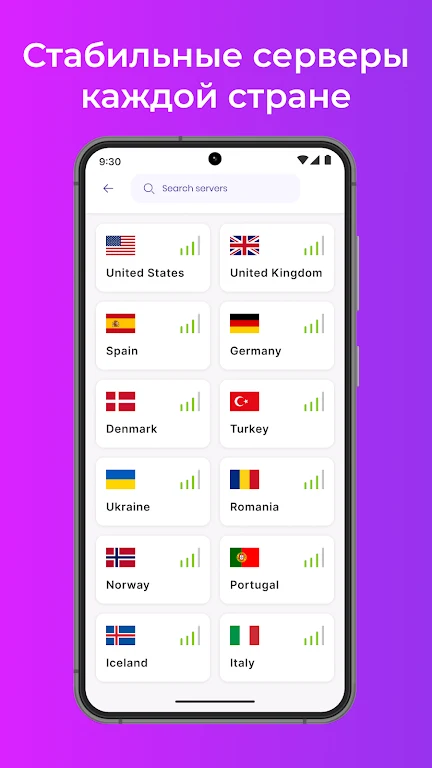
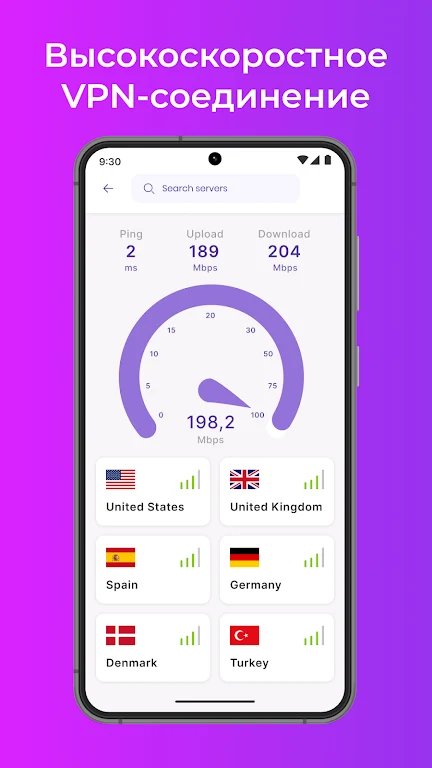
Server choice is an important supporting control. The source recommends selecting a location that matches the user's purpose, such as a country associated with region-limited content or a jurisdiction considered favorable for privacy. It also recommends comparing connection speeds across different server locations before relying on one connection, since performance may differ between servers.
An auto-connect feature is described as an optional setting. When enabled, it can establish a VPN connection when the app is launched or when the device connects to a Wi-Fi network. This provides a way to apply the VPN connection at those stated events without requiring the user to start it manually each time.
Version history
View all15 Oct 2024 · stable
Frequently asked questions
What version of VPN Proxy - Secure VPN is listed?
The supplied app information lists version 1.0.0.