
VidTrim Pro - Video Editor
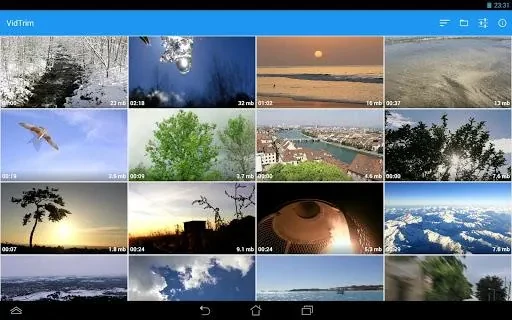
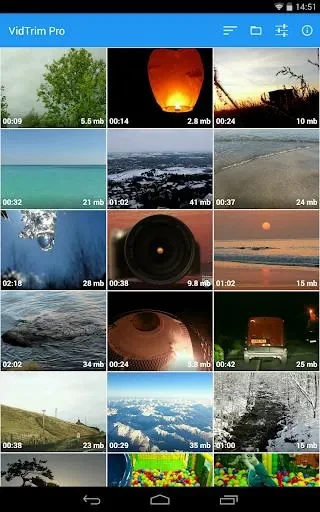
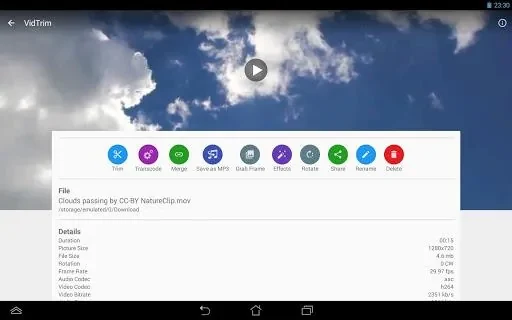
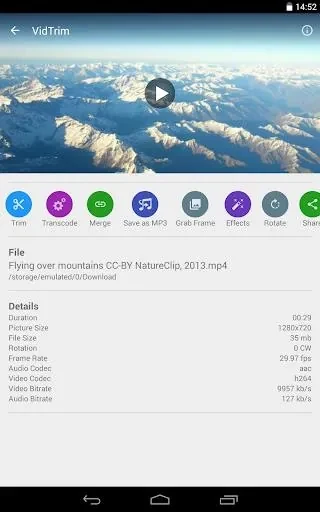
GoseetVidTrim Pro - Video Editor is a media editing application designed for Android devices that lets users cut, combine, and enhance video files directly on their mobile hardware. It provides tools for applying visual effects, converting and compressing formats, extracting audio tracks, grabbing still frames, and sharing completed projects.
App information
- Developer
- Goseet
- Category
- Other Apps
- Package name
- com.goseet.VidTrim
- Version
- 35636
- File size
- 40.3 MB
- Requires
- Android Language:
Screenshots
About this app
Trimming and Merging Video Clips
VidTrim Pro - Video Editor allows users to cut individual video clips down to specific lengths and combine multiple video segments into a single file. This capability provides a straightforward way to assemble and polish raw video footage directly on an Android device.
Applying Visual Effects
The application includes options to transform the look of stored footage using various visual filters. Users can apply effects such as black and white, vintage styles, blur, vignette, and sharpening to alter the appearance of their video projects.
Audio Extraction and Media Transcoding
Media management features include transcoding tools to compress and convert videos into the MP4 format, helping manage storage space on the device. Additionally, the software can extract audio tracks from video files and convert them into MP3 format, as well as incorporate new music soundtracks into a video project.
Frame Grabbing and Sharing
Specific moments within a video can be isolated and saved as individual image files with frame accuracy using the built-in frame grabber. Once editing is complete, completed video files can be shared directly through the app via email or uploaded to platforms like YouTube.
Version history
View all25 Jun 2024 · stable
Frequently asked questions
What video format does VidTrim Pro - Video Editor convert files into?
The application can compress and convert videos into MP4 format.
Can I extract sound from a video using this app?
Yes, the app lets you extract audio from videos and convert those tracks into MP3 files.
How can I save a single image from a video?
You can use the frame grabber tool to extract specific frames from your videos and save them as images.
What sharing options are available?
You can share your edited videos directly through the app via email or upload them to YouTube.