

Videoder Video Downloader
Videoder Video Downloader is an Android app that searches streaming sites such as YouTube and Vimeo so you can download videos and music to your device in selected qualities and formats. The listing also describes MP3 conversion, batch downloads, and a built-in browser.
App information
- Category
- Photography
- Package name
- videoderdownloaderapp.mp4videodervideodownloader
- Version
- 40.0.6
- File size
- 21.6 MB
- Requires
- Android Votes:406
Screenshots
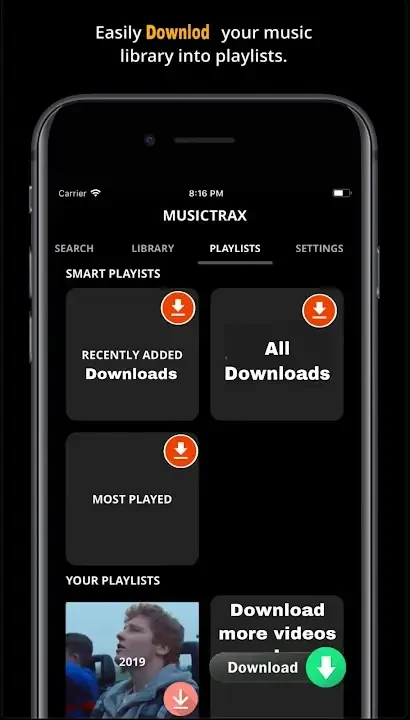
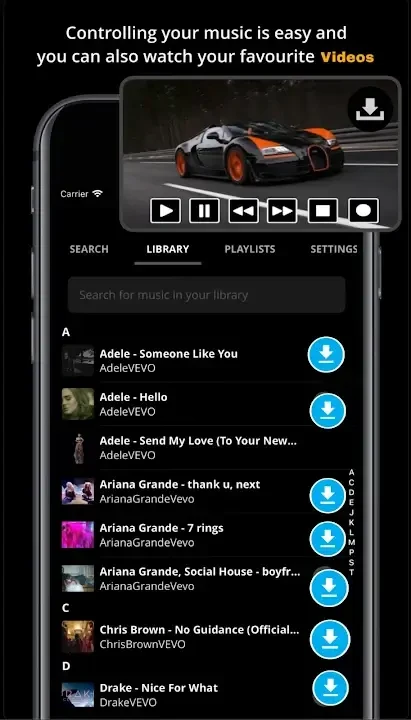
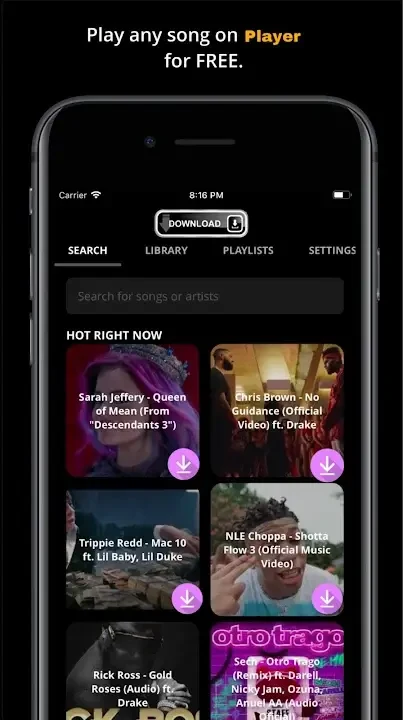
About this app
Videoder Video Downloader is an Android app for finding online videos and saving them to your device. According to its listing, a personalized search engine looks across streaming services such as YouTube and Vimeo, and the results can then be downloaded directly to the phone. The supported functions combine searching, format and quality selection, music conversion, and download management in one application.
Searching and downloading
The core workflow described in the listing begins with a search. The app browses several platforms, and the highlights name YouTube, Facebook, Instagram, Dailymotion, and Vimeo among the sites it covers. The listing also mentions a built-in browser, which means searching, downloading, and managing files can take place inside the same app rather than in separate tools.
Quality and format choices
Available quality options depend on the video in question, according to the description. The highlights list a range from 144p up to 4K, and high-definition downloads are offered when the source provides them. The output formats named in the listing are MP4, FLV, and 3GP. The advantages section also presents Ultra HD support as a way to improve viewing, including when a connection is limited, although that is the listing's own characterization.
Audio and MP3 conversion
Videoder also handles music. The listing says YouTube videos can be converted to MP3 files, and that audio quality can be chosen when downloading from sites such as SoundCloud and AudioBoom. The highlights add that any video can be converted to MP3 within the app.
Batch downloads and playlists
Several videos or songs can be queued together. The listing states that multiple video and audio files can be added for download with a single click, and that YouTube channels and playlists can be searched and downloaded. A quick download button is described as a way to start a download without waiting for the download links to load.
Link detection and the download manager
When a URL is copied from a supported site or app, the listing says Videoder detects it and shows a notification popup, so the download can start without copying and pasting the link manually. The integrated download manager is described as showing progress for each file. A fast download mode is listed as using multiple threads to speed up transfers, and downloads are said to resume automatically when the network fluctuates. Network connection settings can also be adjusted for speed.
Interface, themes, and browsing
The listing describes several color schemes, a dark night mode, and themes that can match a favorite color. Its navigation is described with labeled tabs for Downloads, History, and Settings. An in-app ad blocker is listed as a way to browse websites without ads, and a minimized video preview lets users watch while they keep browsing.
Platform and usage notes
The listing states that Videoder is currently available only for Android devices. It also advises respecting copyright laws and downloading only content that is available for free distribution or for personal use. The version shown in the source data is 40.0.6. Claims about the absence of watermarks and minimal storage use appear in the listing as product statements and have not been independently verified for this entry.
Version history
View all11 Jul 2025 · stable