

Universal Copy
Universal Copy provides an alternative way to select and copy text when an app does not offer normal copy-and-paste controls. It can capture text shown in applications and images, extract hashtags or links, and collect selections through several copying modes.
App information
- Category
- Social
- Package name
- com.camel.corp.universalcopy
- Version
- 6.3.5
- File size
- 32.9 MB
- Requires
- Android Votes:216
Screenshots
About this app
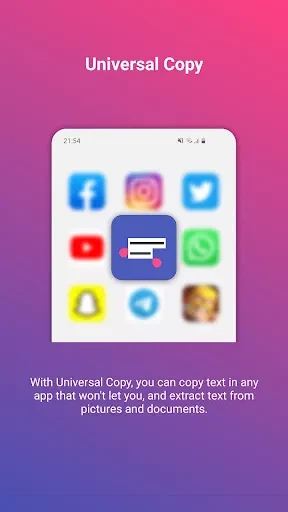
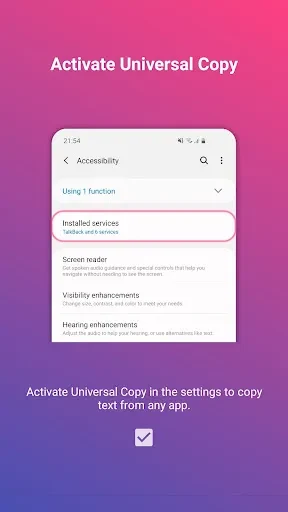
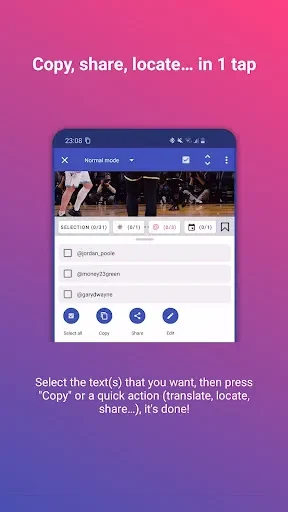
Universal Copy is an Android application for selecting and copying text from apps and images when the usual long-press action is unavailable. It provides an alternative text-selection mode that can be activated while another app is open, allowing users to highlight displayed text and place it on the clipboard. The source specifically describes use with services such as Facebook, Twitter, and Instagram, as well as other applications that restrict native copying.
Alternative text selection
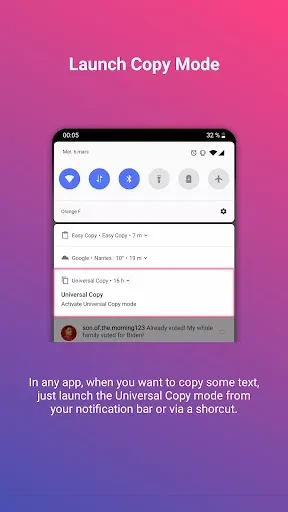
The main workflow starts from the notification bar. After opening it, the user taps the Universal Copy control to activate the copying mode, then selects the lines or snippets visible on the current screen. The selected content can be copied and pasted into another application. This approach is intended for situations where pressing and holding text does not open the normal selection controls.
The app can work with text displayed in different types of content, including documents, images, and local applications. Its purpose is to make otherwise difficult-to-select snippets available for later use without requiring the source app to provide its own copy command. The source also describes selecting text across social networking applications, including Facebook, Instagram, and Twitter.
OCR for text in images
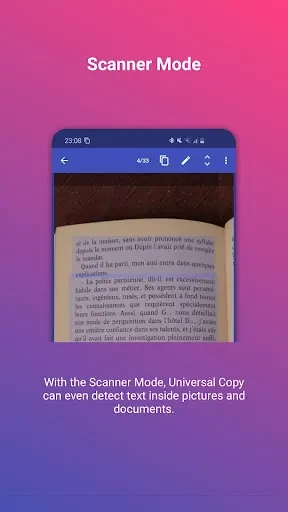
Universal Copy includes an OCR function for turning text shown in images into editable text. The documented OCR support is for Latin characters. Users can use the OCR control when the words they need are part of a picture, document, or application display rather than ordinary selectable text.
This image-to-text capability is separate from selecting regular displayed text. It is useful for extracting written content from visual material, while the standard copying mode handles text that is already presented on the device screen. The available source information does not specify OCR accuracy for particular image types or languages beyond the stated Latin-character support.
Extraction modes
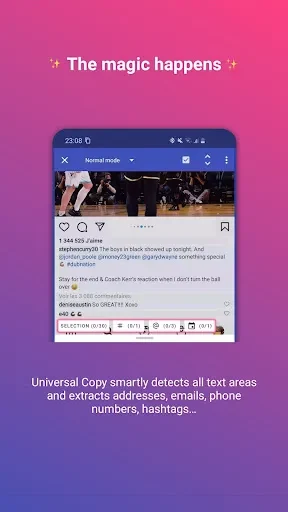
The described tools include options for extracting hashtags and links from websites. A harvest mode can automatically extract entities encountered while the user navigates. The app can also select multiple pages or applications and extract text from them together, rather than limiting the operation to one visible source at a time.
Another documented workflow supports copying an address repeatedly to multiple destination contacts. These functions extend the app beyond a single text snippet, although the source does not provide detailed limits or step-by-step instructions for every extraction mode.
Clipboard and cross-device workflows
After content is selected, it can be added to the device clipboard and pasted into a chosen destination application. The source also describes moving copied information between a phone and a computer, or between a computer and a tablet. These cross-device transfer statements describe the intended flexibility of the copying workflow; the supplied material does not explain the connection method or required setup.
The description says the app does not impose a stated limit on the number of text paragraphs in one copy operation. It also presents the copying process as quick, but no independently measured speed or performance figure is provided. The practical steps remain focused on selecting the content and choosing where to paste it.
Interface and appearance
Universal Copy is described as having a straightforward interface with controls for common actions such as selecting, dragging, copying, and pasting. The feature icons are intended to be easy to locate, and the basic operation is centered on choosing the text shown on screen.
Appearance settings allow users to change the application theme or interface color. These options are available through the settings area and affect the visual presentation rather than the text-extraction process.
Additional edition information
The supplied material mentions a Plus version that removes advertising. It does not provide pricing or subscription details, so those cannot be specified here. The same source also lists non-intrusive advertising among the application’s characteristics, but advertising behavior may depend on the edition in use.
Source-reported considerations
The source presents Universal Copy as easy to use and compatible with various applications, while also noting that performance optimization and compatibility improvements may be needed. These are source-reported considerations rather than independent testing results. Actual behavior can depend on the application or content being copied, particularly when text is embedded in an image or presented through a restricted interface.
Version history
View all14 Jul 2025 · stable
Frequently asked questions
What OCR character set does Universal Copy support?
The supplied description states that its OCR feature supports Latin characters.
Does Universal Copy have an edition without advertising?
The source mentions a Plus version that removes ads, but it does not provide pricing or subscription information.