

Speed Pro Maker
Bongo Soft LtdSpeed Pro Maker brings together tools for cleaning junk files, freeing memory, monitoring CPU temperature, managing files and apps, and adjusting boot-related settings on an Android device. It also supports compatible plug-ins such as app lock and game booster.
App information
- Developer
- Bongo Soft Ltd
- Category
- Tools
- Package name
- com.bongo.apps.studio.speedprovpn
- Version
- 1.0.5
- File size
- 6.7 MB
- Requires
- Android Language:
Screenshots

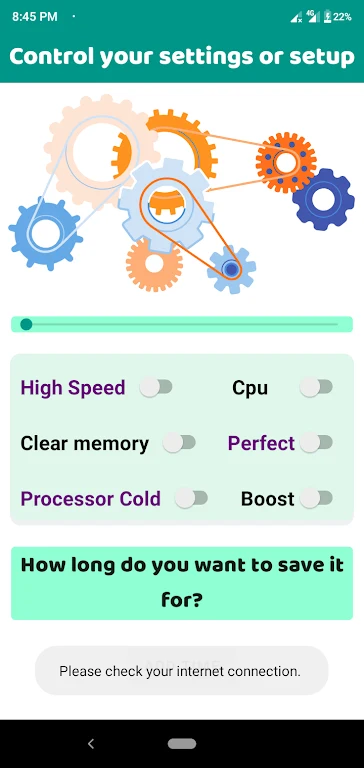

About this app
Speed Pro Maker brings several Android maintenance and management tools together for tasks such as clearing junk files, checking storage, freeing memory, and organizing files or apps. Its collection includes a junk cleaner, speed booster, memory optimizer, battery optimizer, CPU cooler, app manager, file manager, history eraser, and mini launcher.
When storage needs attention
The storage tools are intended for situations where temporary or leftover data occupies space. The junk cleaner scans for cache, temporary files, app leftovers, thumbnail images, empty folders, and other listed junk-file types, then lets users remove them with a single action. A storage-status view helps users monitor the condition of the phone's available storage while the file manager provides a separate way to work with files.
When the device needs a memory or speed check
Speed Pro Maker includes a speed booster and memory optimizer for users who want to release device resources through a quick control. The source states that the speed-boosting feature can release up to 400MB of memory with one touch. The app also includes a battery optimizer and a history eraser, giving users additional tools for reviewing or adjusting aspects of device use from the same interface.
When temperature monitoring is relevant
The CPU cooler displays real-time temperature readings and can terminate unnecessary apps. This gives users a way to check CPU temperature and close selected apps when they want to cool the device. The source describes this function as helping prevent overheating and supporting smoother performance during intensive tasks, without specifying a particular temperature threshold or cooling result.
When startup and installed apps need management
The boot speedup feature identifies apps that run during booting. Users can disable unnecessary apps from that startup list to adjust the boot process. The app manager is intended for managing installed applications, while the file manager handles files, so these tools address different organization tasks within the same application.
When extra tools are needed
Speed Pro Maker is described as compatible with additional plug-ins, including app lock, game booster, and volume settings. These plug-ins can extend the tools available for device customization, although the source does not provide separate installation details or a full compatibility list. The interface is presented as supporting these actions through a few taps rather than requiring separate apps for each listed task.
Version history
View all03 Sep 2024 · stable
Frequently asked questions
Which plug-ins are mentioned as compatible with Speed Pro Maker?
The source mentions app lock, game booster, and volume settings plug-ins, along with other possible additions.
What types of files can the junk cleaner scan for?
It is described as scanning cache, temporary files, app leftovers, thumbnail images, empty folders, and other junk-file types.
What does the boot speedup tool identify?
It identifies apps that run during device booting so users can disable unnecessary ones.