

SoulGen AI
SoulGen AI is an AI-powered image generation and editing tool for creating portraits from text prompts. It also provides editing controls, character customization, image saving, and social sharing options.
App information
- Category
- Lifestyle
- Package name
- com.themselves.soulgen
- Version
- 1.2.1
- File size
- 30.3 MB
- Requires
- Android Votes:192
Screenshots
About this app
Overview
SoulGen AI is an AI-powered image generation and editing tool that turns written descriptions into customized portraits and scenes. Users can register or sign in, describe the image they want, and select options such as a real-life or anime-style character before generating a result. The app also supports image conversion and editing, allowing users to add, remove, expand, or adjust parts of an image. Its prompt-based workflow is designed to be approachable for beginners while still giving users room to refine appearance, clothing, hair, eyes, and other visual details.
What You Can Do
⭐ Create images from text by entering a description of the character, action, setting, or appearance you have in mind. The AI analyzes the prompt and produces a matching portrait or scene.
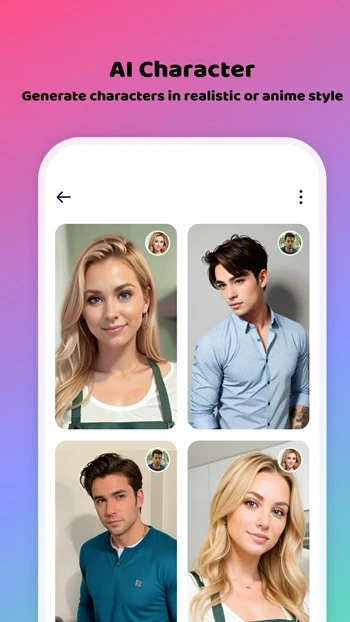
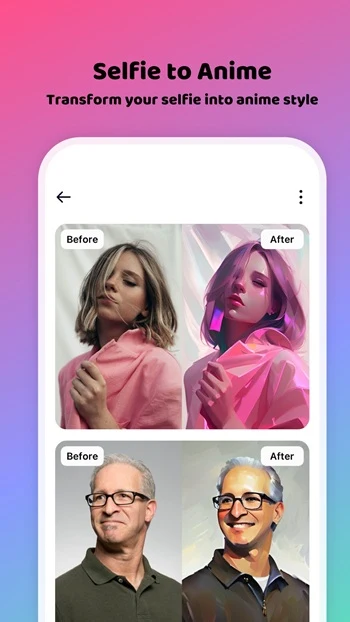
⭐ Choose between real-life and anime-style portraits when starting a generation. This gives the same general idea a different visual direction before the image is created.
⭐ Customize character details such as hairstyle, hair color, eyes, clothing, accessories, and body physique. These controls can help you make the result closer to your intended character design.
⭐ Use predefined prompts as a starting point. Instead of writing every detail from scratch, you can select an existing prompt and adjust its settings to suit your idea.
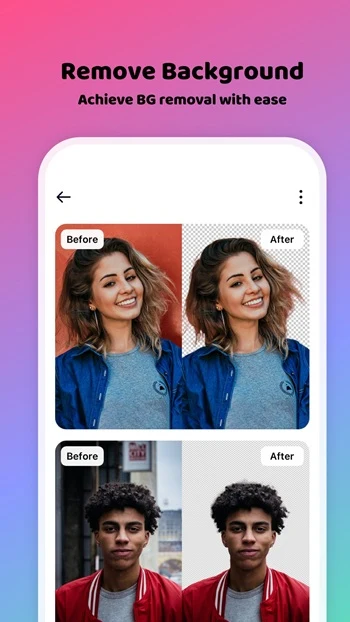
⭐ Edit generated images with tools for adding, deleting, or expanding image areas. The source also describes a blur function with adjustable blur intensity and manual editing controls for emphasizing the subject or changing an unsatisfactory part of a photo.
⭐ Save finished images or share them with other people and on social networks. This makes the tool suitable for showing personal creations, sharing character concepts, or collecting generated portraits.
Using the App
The documented workflow begins with opening the SoulGen AI website and choosing the generation option, followed by registering or signing in. After that, you can enter a custom prompt or select a predefined one, then modify the action, situation, hair, eyes, and other attributes. Once the preferred character style is selected, pressing Generate starts the image creation process. The resulting work can be saved or shared. Editing tools provide another step for refining the output, including manual blur adjustments and changes to selected image areas.
The app’s main creative control comes from the relationship between text input and visual settings. A short prompt can establish the basic idea, while appearance and style choices add more direction. Users who want an anime portrait can focus on illustrated character details, while those seeking a more realistic result can specify physical features, outfits, and accessories.
Why It May Appeal
✅ It combines AI image generation with editing tools, so users can refine an image instead of relying only on the first generated result.
✅ Character customization covers several visible attributes, including hairstyle, clothing, accessories, eyes, and body shape.
✅ Predefined prompts can make experimentation easier for people who do not want to compose a detailed description immediately.
✅ Saving and social sharing provide straightforward ways to keep or present the portraits and other artwork created with the tool.
Things to Consider
❎ The described workflow requires users to register or sign in before generating images.
❎ The supplied information explains access through the official website but does not document offline operation, Android version compatibility, pricing, or specific generation limits.
Frequently Asked Questions
What is SoulGen AI used for?
SoulGen AI is used to generate and edit portraits or scenes from text prompts, with options for anime-style and real-life character images.
Can I customize the generated character?
Yes. The supplied information lists controls for features such as hair, eyes, hairstyle, clothing, accessories, hair color, and body physique.
Does SoulGen AI include image editing tools?
Yes. It describes tools for adding, deleting, and expanding image content, along with manual blur controls and adjustable blur intensity.
Can created images be shared?
Yes. Finished images can be saved and shared with others or on social networks.
Version history
View all24 Jun 2026 · stable
Frequently asked questions
What is SoulGen AI used for?
SoulGen AI is used to generate and edit portraits or scenes from text prompts, with options for anime-style and real-life character images.
Can I customize the generated character?
Yes. You can adjust details such as hair, eyes, hairstyle, clothing, accessories, hair color, and body physique.
Does SoulGen AI include image editing tools?
Yes. The supplied information describes tools for adding, deleting, and expanding image content, as well as manual blur controls with adjustable intensity.
Can created images be shared?
Yes. Finished images can be saved and shared with other people or on social networks.