

SketchAR v7.29.0
SketchAR v7.29.0 combines camera-based augmented-reality drawing guidance with lessons and tools for practicing sketches. It also includes AI portrait-to-sketch editing, a categorized sketch library, and options for sharing finished work.
App information
- Category
- Tools
- Package name
- ktech.sketchar
- Version
- 7.29.0-play
- File size
- 228.4 MB
- Requires
- Android Votes:239
Screenshots
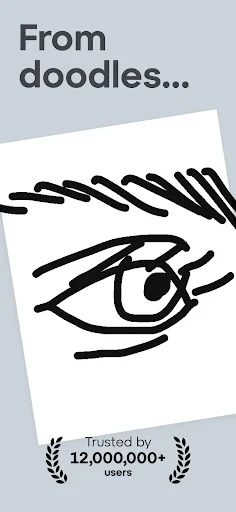
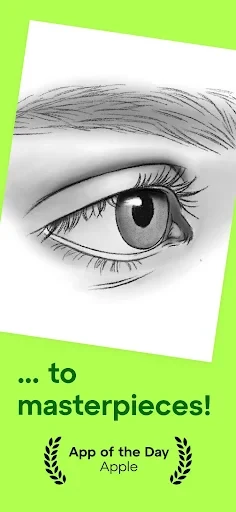
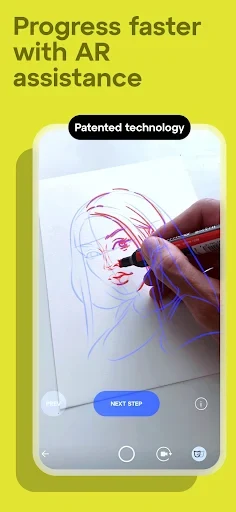
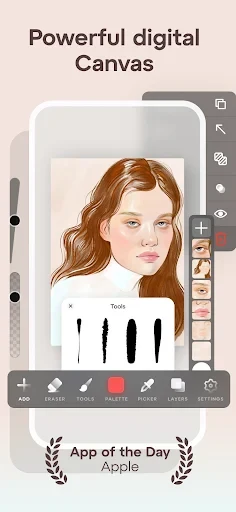
About this app
SketchAR v7.29.0 is a drawing app for people who want guided practice or a way to turn images into sketches. Its camera-based augmented reality places virtual drawing lines over a real surface, while courses and digital tools support other ways to learn and create.
When drawing from virtual lines on paper
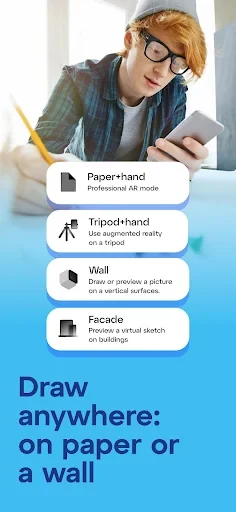
When you want a guide to follow while drawing by hand, SketchAR uses the phone camera to show a sketch over a surface such as a sheet of paper. You can draw along the virtual lines with a pencil. The description also says the AR feature can extend sketches onto surfaces such as walls, giving the tool a use beyond paper.
The app’s guidance depends on being able to recognize the drawing and keep the camera view steady. The supplied description recommends working in a well-lit environment, avoiding irregular circles and disproportionate drawings, and keeping the phone in place rather than shaking it. It also suggests using a clipboard or a piece of paper as the drawing surface. These conditions matter when setting up an AR sketch because the app must recognize what it sees to display the guide.
When learning a subject step by step
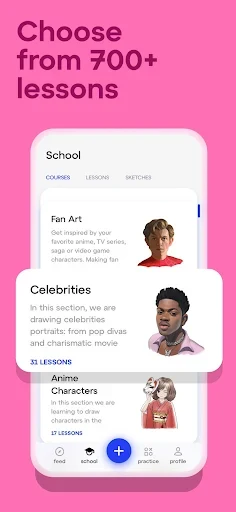
For structured practice, the app has drawing courses for different skill levels. A learner can begin with a beginner course or choose a more advanced lesson focused on a subject. The description names portraits, anime, animals, cartoons, graffiti, and natural scenes among the topics. The courses are presented as step-by-step instruction, so the task is not limited to tracing a single image; lessons can also focus on developing drawing skills in a particular area.
SketchAR also includes a library of sketches in categories such as animals, architecture, facial features, human figures, portraits, and vehicles. Users can browse sketches from experts or well-known artists. The description cautions that professional sketches may not be suitable for beginners and may not include guidance for completing them. This makes the library distinct from the courses: it offers examples to choose from, while lessons provide a more directed learning path.
When turning a portrait into a sketch
If the starting point is a portrait photograph, SketchAR’s AI editing feature can convert the image into an artistic sketch. The description presents this as an automated edit, rather than a task that requires the user to draw over the portrait manually. It describes the feature specifically in relation to faces and portraits, so it serves a different purpose from the camera-based AR guide, which displays virtual lines for drawing on a physical surface.
When practicing with digital drawing tools
Drawing practice does not have to use the AR view. SketchAR also provides built-in drawing tools for making sketches digitally, including pencils, markers, and brushes. The tools are arranged into stages with instructions about when to use them. This organization is intended to help users understand the different tool choices, particularly when they are unfamiliar with working with several kinds of digital pens and brushes.
The source describes these tools as another way to practice when drawing on paper with AR is not the chosen approach. It does not describe an automatic connection between digital tool practice and the AR feature, so they are best understood as separate drawing methods within the app. Alongside lessons and the sketch library, they give users options for working from instruction, an example, or a digital canvas.
When sharing completed artwork
After finishing a drawing, users can share it with friends through social networks or in the SketchAR community. The app also creates a fast-forward video of the drawing process, which the description says is automatically saved in the user’s app profile. That video records the creative process as well as the completed result. The source further describes an option to turn artwork into an NFT digital asset for participation in NFT markets, where it may be offered for sale or auction; it does not promise a particular sale or value.
Version history
View all11 Jul 2025 · stable