
Secure VPN - Safer Internet & Speed Test
GoodTools LabSecure VPN - Safer Internet & Speed Test is a free VPN app for Android that encrypts your connection with one click, using a server network described as spanning America, Europe, and Asia. It also lets users choose which apps use the VPN and switch between servers from within the app.
App information
- Developer
- GoodTools Lab
- Category
- Tools
- Package name
- com.goodtoolslab.secure_vpn.unblock_proxy.free_vpn
- Version
- 1.0.5
- File size
- 32.2 MB
- Requires
- Android Language:
Screenshots

About this app
Secure VPN - Safer Internet & Speed Test is an Android VPN app built around one core function: encrypting your internet connection so that your online activity is harder for third parties to track. According to the listing, the app is offered as a free VPN service and can be connected with a single tap.
How the Encrypted Connection Works
The listing states that the app encrypts your connection to keep third parties from tracking your online activity. The developer presents this as more secure than a typical proxy, and says it helps protect sensitive information while you browse. The stated aim is to let users access the internet securely and anonymously, and the description suggests the app is suited to everyday browsing, streaming, and use of public Wi-Fi.
One-Tap Connection and Server Choice
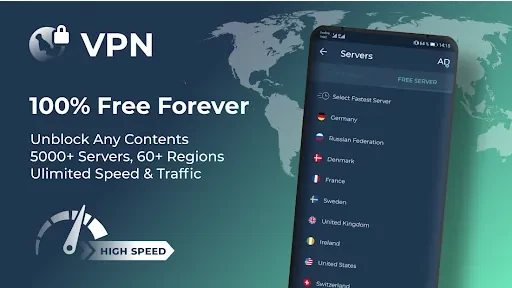
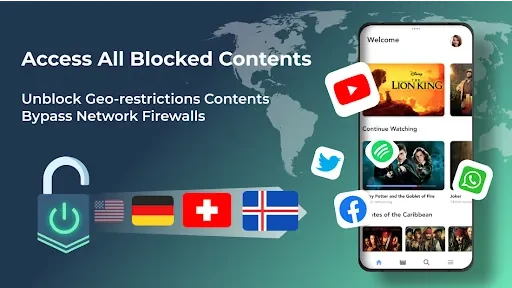
Connecting is described as a single step: users click once to join the VPN. The developer describes a global network spanning America, Europe, and Asia, with plans for further expansion. Users can switch between servers by clicking the flag icon, which the listing recommends as a way to compare connection speed and reach different regional content. Claims about lightning-fast browsing and high-speed bandwidth come from the developer's own description and are not independently measured in the supplied data.
Choosing Which Apps Use the VPN
One documented control is the ability to select specific apps that use the VPN. The listing gives banking and shopping apps as examples where this may matter most, since enabling the VPN for those apps is presented as a way to keep their data encrypted. This gives users a way to decide which apps are routed through the connection rather than relying on a single all-or-nothing setting.
Network Compatibility and Setup
The description says the app works with Wi-Fi, LTE/4G, 3G, and all mobile data carriers. It also states that no registration or configuration is required and that there are no usage or time limits. These points are developer statements from the listing and have not been independently verified. For public Wi-Fi, the listing advises using the VPN as an extra layer of protection, noting that public networks are often unsecured and can be vulnerable to attacks.
Listing Details
The supplied record identifies GoodTools Lab as the developer, version 1.0.5, and the Tools category. The minimum Android version field in the source data does not contain a usable version number, so the supported Android version is not confirmed by the supplied information.
Version history
View all09 Sep 2024 · stable
Frequently asked questions
Who developed Secure VPN - Safer Internet & Speed Test and which version is listed?
The supplied record lists GoodTools Lab as the developer and version 1.0.5. It is categorized under Tools.
Is a minimum Android version confirmed for this app?
No. The minimum OS field in the supplied data does not contain a usable Android version, so no minimum version can be confirmed from this information.