

Picsta - AI Image Enhancer
Picsta - AI Image Enhancer is a Photography app for automatically adjusting the brightness, contrast, and sharpness of photos, with a color correction tool and additional editing features. Its documented tools also include AI background removal, photo collages, filters, and a DSLR-style effect that keeps the subject sharp against a blurred background.
App information
- Category
- Photography
- Package name
- mediatech.photo.editor.collagemaker.photoeditor
- Version
- 1.38
- File size
- 166.7 MB
- Requires
- Android Language:
Screenshots


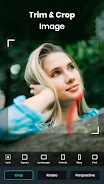
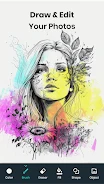
About this app
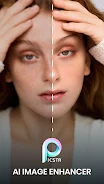
Picsta - AI Image Enhancer is a Photography app built around automatic image enhancement. According to its description, the app adjusts brightness, contrast, and sharpness, and it pairs that core function with color correction and a group of editing tools for backgrounds, collages, filters, and retouching. The listing describes version 1.38.
Automatic image enhancement
The central function is automatic enhancement. Users can enhance a photo through a variety of filters that improve its brightness, contrast, and sharpness. The description does not list manual adjustment controls for these settings, so this profile does not assume how detailed the controls are.
Color correction and resolution
The color correction tool adjusts color tones and balances the representation of hues, skin tones, and overall color harmony in an image. Separately, the AI enlarger is described as raising images to high-definition standards so they look more detailed and crisp, and as restoring clarity to blurry images. The description states that this can be done without compromising quality, but that is the publisher's own statement rather than an independent result.
Background removal and replacement
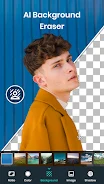
Picsta can remove or blur the background of a photo using an AI background remover. Users can also add a background of their choice from their gallery through the picture editor. The description also mentions a background eraser, customizable brushes, and layers among its AI photo enhancer and editor tools.
Filters, collages, and DSLR-style effects
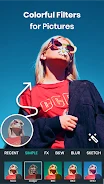
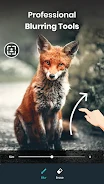
The app offers photo effects and filters, which the description says range from artistic filters to vintage overlays and total more than 1000 options. Picture collage creation, photo grids, text additions, and photo blurring are also listed. The DSLR effect is described as keeping the subject sharp and clear while rendering the background as a smooth, blurry backdrop, and the description says this does not require professional photography or editing skills.
Makeup and retouching
Picsta also includes makeup effects and retouching tools. The description says these can be used to retouch photos and give the subject a smoother appearance and a touch of glamour.
Version history
View all03 Jun 2024 · stable