

Phone Master
Phone Master is an Android utility for clearing junk files and managing installed apps. Its listed tools also cover background processes, photo and file cleanup, app locks, and network usage.
App information
- Category
- Tools
- Package name
- com.transsion.phonemaster
- Version
- 6.1.3.00011
- File size
- 37.8 MB
- Requires
- Android Votes:509
Screenshots





About this app
Phone Master is an Android utility for cleaning unwanted files and managing installed apps. Its listed functions also include controls for background processes, tools for sorting out photos and large files, an app lock, and network-usage monitoring. The app is intended for people who want to review several aspects of phone storage and activity from one utility.
What kinds of files can Phone Master clean up?
Phone Master scans for files described as junk, including cache, temporary files, and residual data. These files can accumulate in device storage, and the app is presented as a way to identify and remove them. The description also refers to scanning device storage for files that are no longer needed, rather than limiting cleanup to one named file category.
Cleanup can be performed manually, and the app is also described as offering automatic trash cleaning with a schedule ranging from daily to weekly. The source refers to cleanup of both phone storage and external memory, though it does not specify which external storage formats or devices are supported. It also mentions removing obsolete APK installation files, which may be useful to someone reviewing items left behind after installing apps.
How does it handle installed apps?
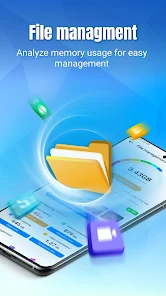
The app management function provides an overview of installed applications. Phone Master is described as helping users identify apps that are rarely used or take up substantial memory, so they can decide whether to keep or remove them. The source also mentions uninstalling infrequently used apps and deleting expired APK files; these are separate ways the app may help users review storage associated with applications.
App access rights are also listed as a management control. The description says users can review what each app is allowed to do, but it does not name particular permissions or explain how those controls are presented. This function is distinct from uninstalling apps: it concerns application access rather than removing an app from the device.
What performance controls are included?
Phone Master includes a function for stopping processes that run in the background. The description connects this control with freeing RAM and reducing the impact of background activity on device performance. It is presented as a way to close unnecessary processes, not as a guarantee that every app or game will run faster.
The source also describes controls for turning off notifications from selected apps, which may suit someone looking to reduce interruptions. It does not specify which processes are selected automatically or how the app determines which ones to stop. The performance tools are therefore best understood as controls over background activity, alongside the separate storage-cleanup functions.
Can it help organize photos and other large files?
The listed file tools include removing duplicate or blurry photos, compressing images, and removing unwanted images, videos, audio files, or installation packages. These options address different kinds of storage clutter: some are for reviewing photos, while others concern larger media and app installation files.
Phone Master is also described as allowing users to move large files to free space. The source does not specify a destination for moved files or describe supported file formats, so those details should not be assumed. The tools may be relevant to users who want to review media and large items in addition to clearing cache and temporary data.
What privacy and security tools are listed?
The app includes an app-lock function. The description says a user can choose a pattern or PIN to restrict access to selected apps, with examples such as a gallery or social media apps. It also mentions setting a security question in case the chosen pattern or PIN is forgotten. These are access-control options; the source does not establish broader privacy or data-protection guarantees.
A built-in antivirus or virus-scanning tool is also mentioned, with scans described as covering applications. This is a listed feature, not a guarantee that the device will be protected from every threat. The description does not provide technical details about the scan or specify which threats it can detect.
What network information can users see?
Phone Master’s Network Assistant is described as showing current network speed and monitoring data consumption and app usage data. A speed display may be relevant when downloading, streaming, or gaming, while usage information can help users review which apps consume data. The source does not name supported network types or explain whether usage figures are measured over a particular period.
The app’s described scope is therefore broader than junk cleanup: it combines storage review with application controls and selected device-activity tools. The available description does not specify minimum Android requirements, and it gives no detailed compatibility information for individual features.
Version history
View all12 Jul 2025 · stable
Frequently asked questions
What version of Phone Master is listed?
The supplied version number is 6.1.3.00011.