
PGT: GFX, Launcher & Optimizer
PGT: GFX, Launcher & Optimizer lets you choose a game version, adjust graphics settings, and launch the game with those settings. It includes presets, individual visual controls, and a backup option for settings on Android 11 and higher.
App information
- Category
- Tools
- Package name
- inc.trilokia.pubgfxtool.free
- Version
- 0.20.2
- File size
- 4.8 MB
- Requires
- Android Votes:80
Screenshots
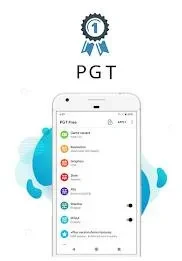
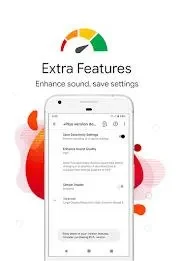
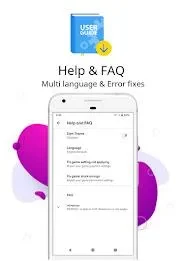
About this app
PGT: GFX, Launcher & Optimizer helps you configure a game’s graphics before launching it. You can begin with a preset or adjust individual settings, depending on whether you want to focus on frame rate or change how the game looks. The app also includes an option to change game icons.
Choosing a game and graphics preset
To set up a game, open the app and grant the permissions it requests. Select the game and its region version from the available list; the source gives Global, CN, and LITE as examples. You can then choose a starting preset. Potato Quality is presented as a lower-graphics option, while Simple Shader offers a different visual starting point. After making your changes, launch the game from within PGT so the settings can take effect.
Adjusting individual visual settings
Beyond presets, PGT provides controls for frame rate, resolution, shadows, and anti-aliasing. Its XDAPortal feature groups further graphics options into basic, miscellaneous, advanced, and experimental categories. The interface also has a dark theme. These controls give you ways to tailor a configuration for a particular game rather than relying only on a preset.
Results depend on the device and the game. In particular, HDR and FPS adjustments may not work in every game, so the available controls should not be taken as a guarantee of a performance improvement.
Permissions and moving settings
The app describes storage access for applying and backing up graphics settings, internet access for loading settings from its servers, and background-app control intended to improve memory usage. On Android 11 and higher, its built-in backup option can save a PGT configuration. To move it to another device, copy the backup there and restore it within the app.
Version history
View all26 May 2026 · stable