

Net Master - Free VPN & Speed Test , WiFi Boost
Hi Security Lab (Antivirus, AppLock & VPN Free)Net Master - Free VPN & Speed Test , WiFi Boost combines VPN access with tools for examining WiFi performance, signal strength, available networks, and mobile data usage. It also describes network security checks for issues such as router hijacking, ARP cheating, SSL hijacking, DNS hijacking, and portal encryption.
App information
- Developer
- Hi Security Lab (Antivirus, AppLock & VPN Free)
- Category
- Tools
- Package name
- com.ehawk.speedtest.netmaster
- Version
- 1.30.0.317
- File size
- 9.5 MB
- Requires
- Android Language:
Screenshots

About this app
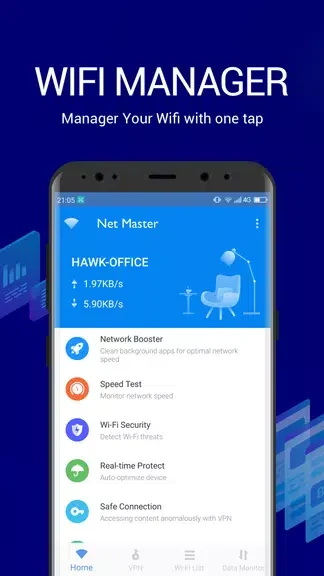
Net Master - Free VPN & Speed Test , WiFi Boost combines a VPN with network testing and monitoring tools for Android users. Its documented purpose is to help users examine WiFi performance, review nearby network options, check signal strength, monitor mobile data, and use a private network connection.
VPN access and connection privacy
The app provides access to a virtual private network, or VPN, which creates a connection to a private network over a public network. The source describes this VPN as free and unlimited, with the purpose of protecting data while users browse the internet or access remote data. This is presented as one part of the app's wider network toolkit rather than as a separate browsing application.
WiFi speed and signal checks
The WiFi speed test gives information about the performance of the connected WiFi network. Users can use the reported results to identify possible speed limitations or connection issues and then investigate their network setup. The app also includes a signal strength test that analyzes the signal around the user and helps identify a stronger available signal.
Network lists, analysis, and security checks
Net Master includes a WiFi manager and analyzer that presents available WiFi networks in the surrounding area together with speed details. This supports reviewing and switching between network options, although the supplied information does not specify the exact controls used for switching.
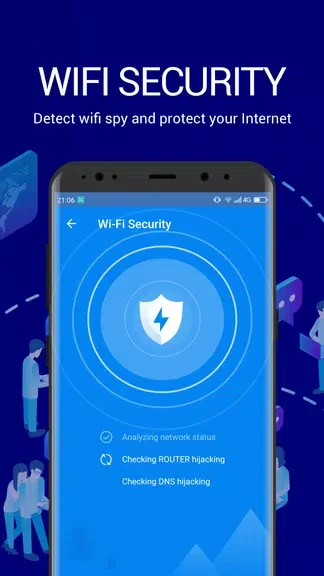
Its WiFi analyzer and security tools examine network status for named threats and connection issues. The listed checks include router hijacking, ARP cheating, SSL hijacking, DNS hijacking, and portal encryption. The source describes these tools as detecting potential threats and checking whether the connected WiFi network is secure; it does not provide technical details about how the checks are performed.
Mobile data monitoring and supporting tools
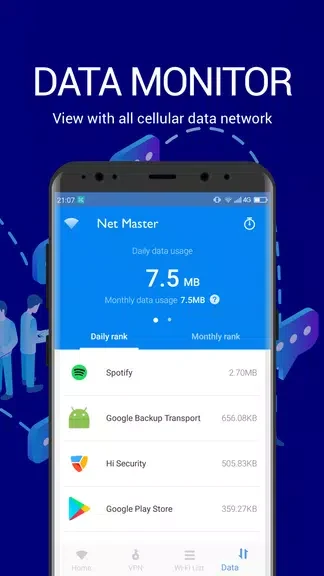
The mobile data monitor and manager shows usage status for individual apps, with particular attention to mobile network consumption. This gives users a way to review which apps use mobile data and identify consumption that may affect their available allowance.
A floating bubble notification provides access to the app's features from the interface. The description also says that users can share a personal hotspot with other devices. Multiple languages are supported, and the source mentions dedicated customer support for questions or issues.
Version history
View all20 Aug 2024 · stable
Frequently asked questions
What version of the app is listed in the source?
The listed version is 1.30.0.317.