
Nebo
Nebo helps you record and organize work or study notes using notebook pages, an open-ended whiteboard, and handwritten documents. You can also import PDFs to annotate and share.
App information
- Category
- Productivity
- Package name
- com.myscript.nebo
- Version
- 7.0.11
- File size
- 101.1 MB
- Requires
- Android Votes:592
Screenshots
About this app
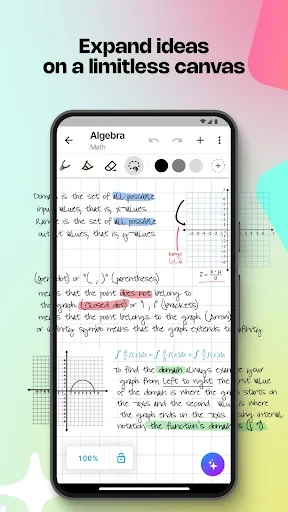
Nebo gives you several ways to capture information for later review, from structured notebook pages to a free-form whiteboard. The app is intended for work and study, where writing down ideas, lessons, or meeting details can make them easier to revisit. For daily notes, you can create as many notebooks as needed, each with fixed-size pages. When a topic calls for a less constrained layout, the whiteboard provides an endless canvas for notes and diagrams such as mind maps.
Choose a page or an open canvas
The two note-taking formats serve different tasks. Fixed-size pages offer a familiar structure for keeping daily notes in separate notebooks, while the whiteboard lets you spread out free-form writing and drawing without being limited to a page boundary. Nebo also supports reusing free-form content, which can help when material created on the canvas is useful in another note. Together, these options accommodate both orderly records and ideas that need room to develop.
Write documents and add detail
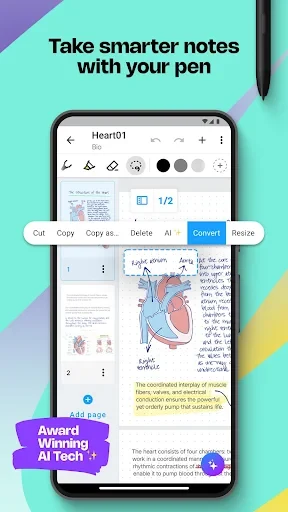
For more composed notes, Nebo supports handwritten documents and allows mathematical calculations and charts to be added. Its listed tools also include pen-based editing and ways to enrich notes. These functions make it possible to keep written explanations alongside calculations or visual information, rather than treating every note as plain text. The source describes a responsive writing experience but does not specify particular handwriting-conversion languages or accuracy.
Work with existing PDFs
You can import an existing file as a PDF and annotate it in the app. This provides a way to add notes directly to a document instead of creating a separate record of your comments. Nebo also supports sharing content, so annotated material or other notes can be passed on to others. The source does not specify which sharing destinations or file types are available.
Keep notes for work and study
Notebook pages, the open canvas, handwritten documents, and PDF markup cover different stages of recording information: capturing a quick thought, expanding a diagram, developing a document, or commenting on a file. The listed paperless-management feature supports keeping these materials in a digital workflow. Nebo may suit people who take notes for classes, work tasks, or meetings and want more than one format for organizing what they write.
Version history
View all15 Jun 2026 · stable
Frequently asked questions
Can Nebo annotate PDF files?
Yes. You can import existing files as PDFs and annotate them in the app.
Does Nebo offer an open-ended writing space?
Yes. Its whiteboard uses an endless layout for free-form notes and drawing.
Can I create multiple notebooks in Nebo?
Yes. The source says you can create an unlimited number of notebooks with fixed-size pages.