

Music Speed Changer APK
Music Speed Changer APK is an Android audio app for changing a track's tempo, pitch, or both, with looping, trimming, and export tools for practice and editing. It lets users change speed without changing pitch, and pitch without changing speed.
App information
- Category
- Video Players & Editors
- Package name
- com.smp.musicspeed
- Version
- 13.6.3-pl
- File size
- 33.7 MB
- Requires
- Android Votes:377
Screenshots
About this app
Music Speed Changer APK is an Android audio app for changing the playback speed and pitch of tracks on a device. Its main approach is time stretching, so tempo can be adjusted without changing pitch, and pitch can be shifted without changing tempo. The app is described as useful for slowing down songs and repeating passages during practice, and for speeding up audio for quicker listening.
Speed, pitch, and tempo controls
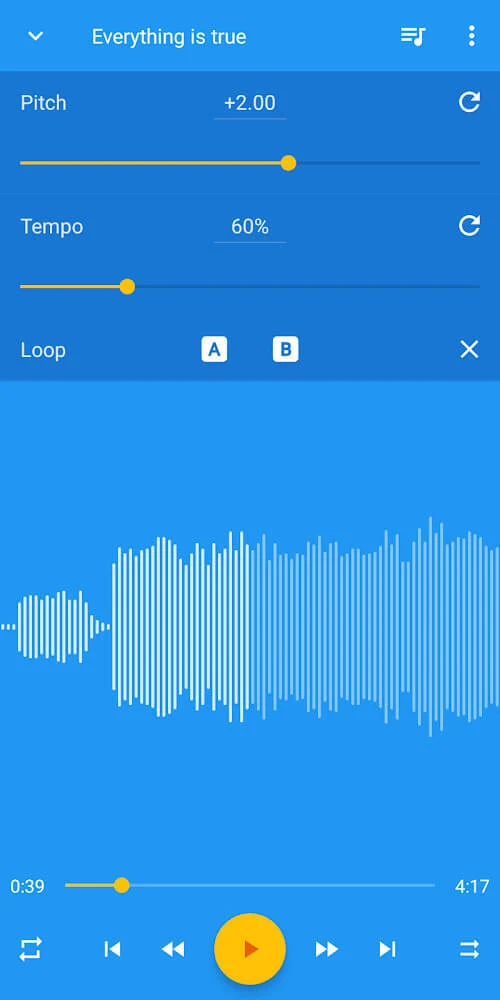
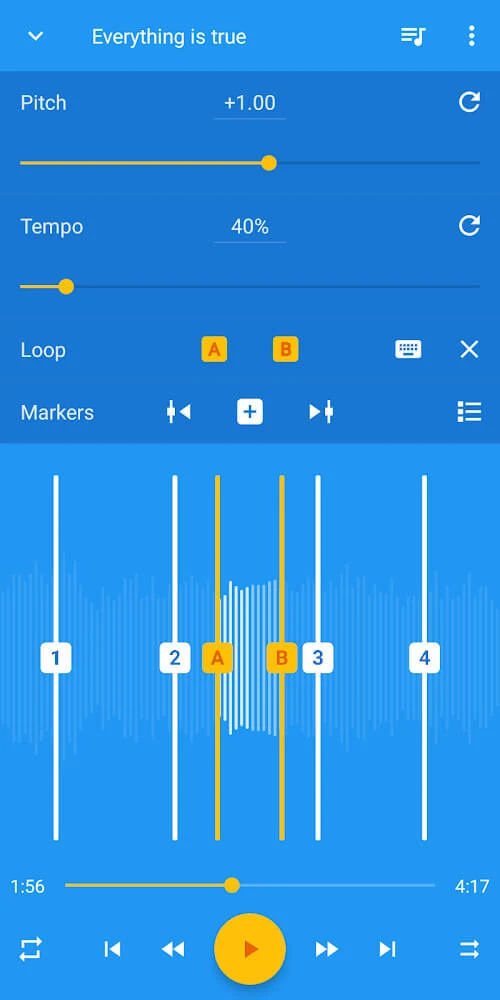
The app's speed adjustment covers a range from 15% to 500% of the original tempo. Pitch can be shifted by up to 24 semitones, and the source states that the pitch can be fine-tuned with fractional adjustments. A single control can adjust speed and pitch together. Changes are shown in real time, so the adjusted sound can be previewed while it plays. The source also describes BPM detection and an analysis feature that displays a track's BPM and musical key.
Looping and playback options
Looping lets users choose a section of a track and repeat it. The loop is set by holding the A button at the start point and releasing the B button at the end point, and it can be removed with the X button. The waveform is divided into bars to help with location selection, and the source says a loop can be moved to different measures with a touch. The bottom-left button controls playback mode, which can stop at the end of the track, play through the queue, repeat the queue, or repeat the current track. The play queue is opened from the upper-right button, and the queue can be shuffled from the bottom-right button.
Editing, trimming, and export
Editing tools include trimming the beginning or end of a track, adding fade-in and fade-out sections, and adjusting gain. The source notes that trimming and fades can help fit a track to a fixed length, such as for a video. To save the result, users open the three-dot menu in the editor and choose Export edited. The new file name and title can be changed before export. Progress appears in a notification, and when the export finishes, the notification offers options to share the track or open it in Music Speed Changer or another music player. A loop can also be exported by setting the A and B points before exporting and selecting the loop checkbox in the export dialog. The source also says the app can be used to create Nightcore or fast music versions.
Audio input, recording, and sound controls
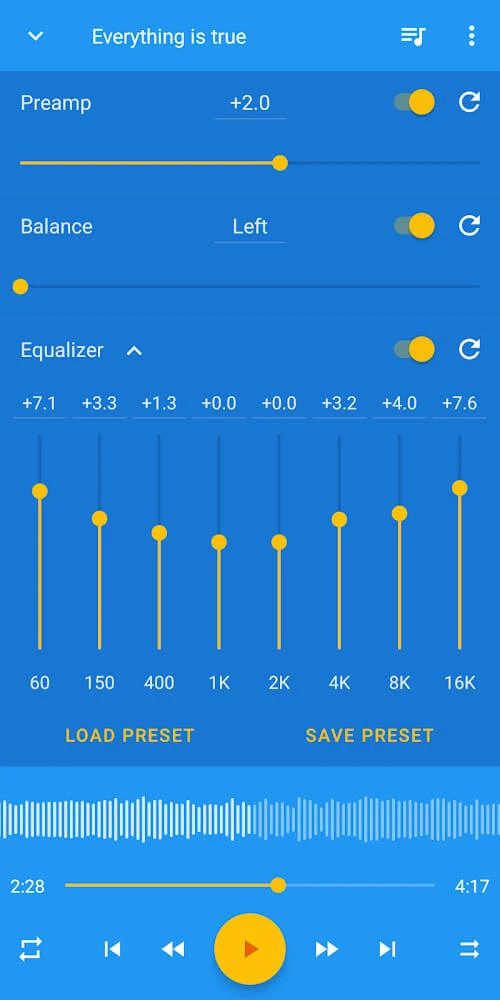
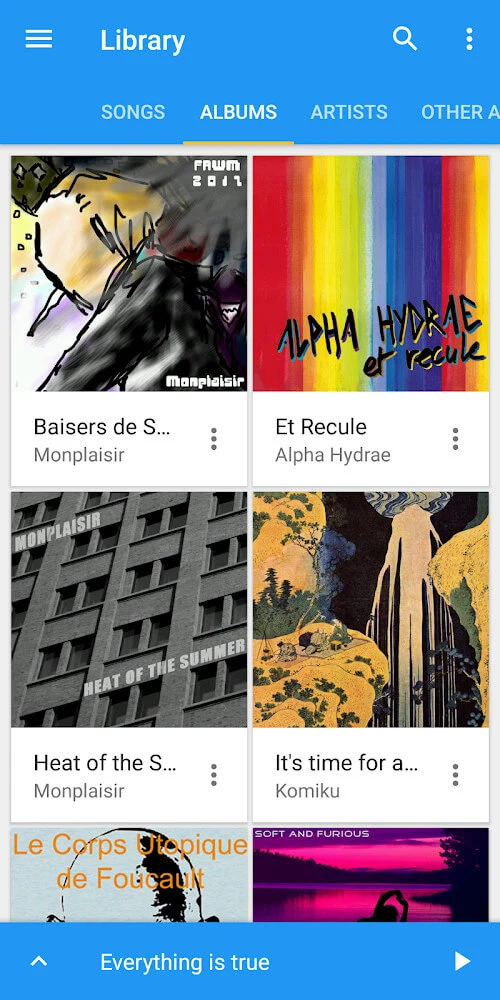
The Songs tab lists the music on the device, sorted alphabetically by default. The source states that the app supports a variety of audio formats, and one user review mentions MP3 files specifically. A built-in recorder allows users to capture their own sounds and apply the same speed, pitch, and loop tools. The app also includes an 8-band graphic equalizer with preamp and balance controls for shaping the output sound.
Formant correction and purchases
Formant correction is described as a way to keep pitch-shifted audio sounding more natural. The source says this feature requires an in-app purchase or subscription. Another section refers to a premium package for the formant tool, so the purchase terms are described inconsistently and should be confirmed in the app before use.
Getting started
After opening the Songs tab, a user taps a song to begin playback, then taps or drags the blue bar at the bottom of the screen to open the editor. The pitch slider changes pitch without changing tempo, and tapping the displayed number enters an exact value. The tempo is adjusted in a similar way. Seeking is done by dragging along the waveform or using the seek bar below it. A reset button returns an adjustment to the original setting.
Reported user experiences and limitations
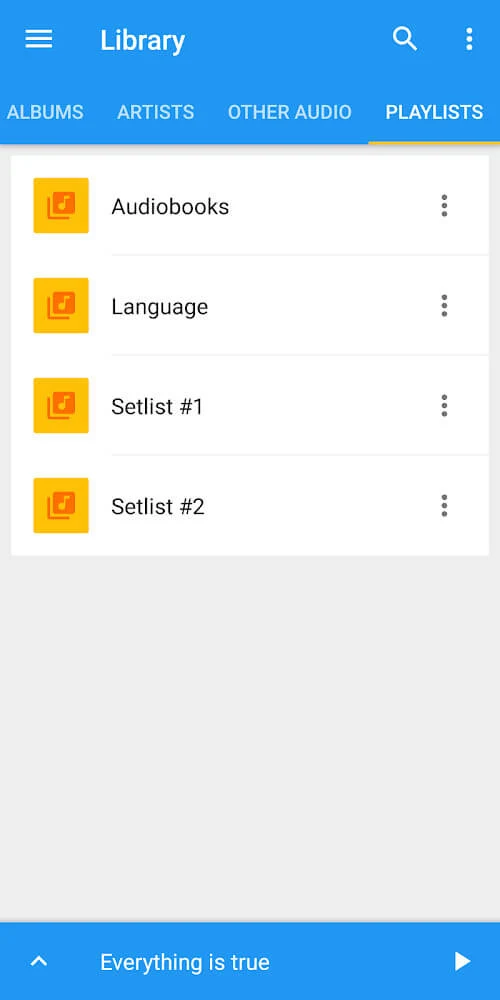
User reviews describe several uses, including playing music for dance classes with a customized, uncluttered layout, and adjusting the audio of old silent 8mm films. One reviewer praised the interface and said that the app can be configured to show selected functions and colors. Reviewers also noted limitations. One said that tracks from the device's Music app appear without its playlists, and that streamed music is locked and has use restrictions. Another wished for playlist import and a full-track view in the waveform display. A further reviewer reported frequent advertisements after returning to the app, with ad audio clashing with the music being played. These are individual reports and do not confirm the app's current advertising behavior.
Version history
View all21 Jul 2025 · stable
Frequently asked questions
Can Music Speed Changer APK change tempo without changing pitch?
Yes. The source says the app's primary function is to change audio speed without affecting pitch, and pitch can also be shifted independently.
What audio file types does the app support?
The source says the app supports a variety of audio file formats but does not list them in full. One user review specifically mentions MP3 files.
Is formant correction included at no cost?
The source says formant correction requires an in-app purchase or subscription. It also refers to a premium package for that tool, so the exact terms should be checked in the app.