

MOMO VPN
sahel groupMOMO VPN is an Android VPN app for private internet access, IP address changes, safer Wi-Fi use, and automatic VPN connections. It supports smartphones, tablets, and Android TV, with CyberSec protection and a free trial described in the source.
App information
- Developer
- sahel group
- Category
- Tools
- Package name
- com.momo.momovpn
- Version
- 3.0.1
- File size
- 12.7 MB
- Requires
- Android Language:
Screenshots
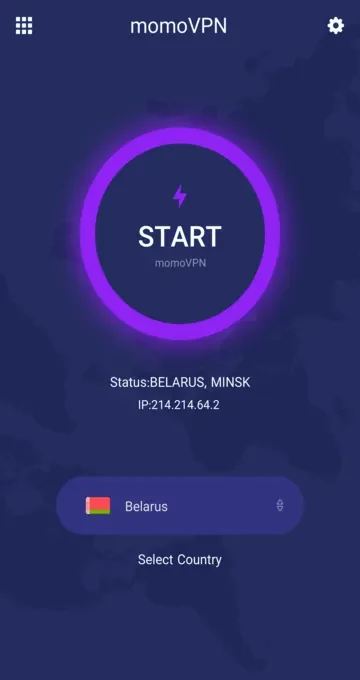
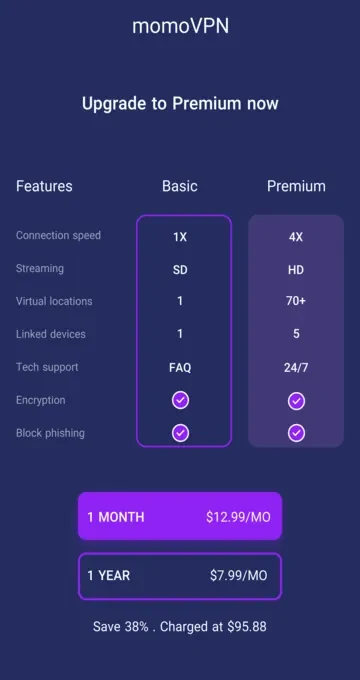
About this app
MOMO VPN is designed for people who need private internet access on an Android smartphone, tablet, or Android TV. Its single-tap connection is intended to simplify VPN use, while encryption, IP address changes, and connection settings support different browsing and network situations.
Connecting for private internet access
When online privacy is the main need, MOMO VPN provides a single-tap way to connect to its VPN service. The source describes this connection as protecting online activity from internet service providers, advertisers, and other parties that may monitor browsing. It also describes encryption for sensitive internet data, giving the app a security-focused role during everyday web use.
Using a different virtual location
MOMO VPN can change the device's IP address so that browsing appears to come from a different region. This virtual location function is intended for situations where a user wants to browse from another regional address or reach websites and content that are restricted by location. The source states that the app provides access to servers in multiple countries, but it gives inconsistent server totals, so no specific number is presented here.
Protecting connections on public Wi-Fi
Wi-Fi networks in places such as airports, coffee shops, and train stations are specifically mentioned as use cases. MOMO VPN is described as helping protect sensitive data when connecting through these networks, making the VPN connection relevant when a user wants an added privacy layer away from a familiar connection.
Adding protection with CyberSec
The CyberSec feature is intended to block access to dangerous websites that host malware, spyware, or other malicious software. Users are advised to enable it in the app when they want this additional protection against sites associated with cyber threats.
Automating VPN connections
For users who do not want to connect manually each time, the auto-connect setting can be configured for Wi-Fi or cellular data. The source presents this as a way to have the VPN connect automatically on those network types. It also describes server selection as useful for browsing and streaming, with the fastest available server recommended to help reduce buffering and delays.
Trial and support information
The source mentions a free trial for trying the service. It also describes a simple interface and 24/7 customer support, although no further support channels or trial conditions are specified.
Version history
View all04 Sep 2024 · stable
Frequently asked questions
Which Android devices can use MOMO VPN?
The source says MOMO VPN is intended for Android smartphones, tablets, and Android TV.
Can MOMO VPN connect automatically?
Yes. Its auto-connect setting can be configured to connect the VPN automatically when using Wi-Fi or cellular data.