

MIUI Updater
Metareverse AppsMIUI Updater is a Tools app from Metareverse Apps for finding firmware packages for Xiaomi devices. Its listing also describes an optional automatic update setting and recommends reading changelogs and backing up data before installing an update.
App information
- Developer
- Metareverse Apps
- Category
- Tools
- Package name
- net.xiaomiui.miuiupdater
- Version
- 1.0.8
- File size
- 47.5 MB
- Requires
- Android Language:
Screenshots
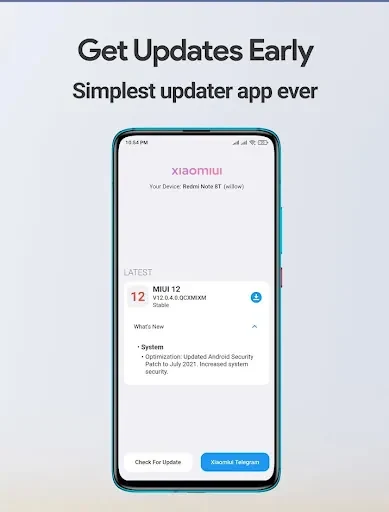
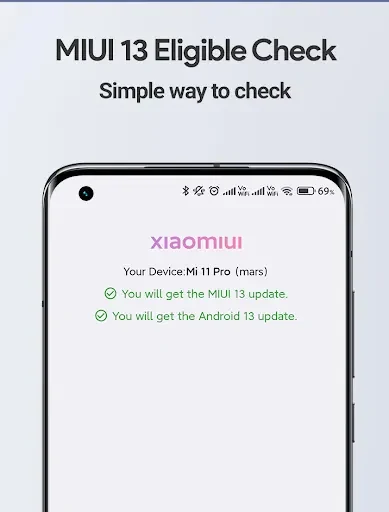
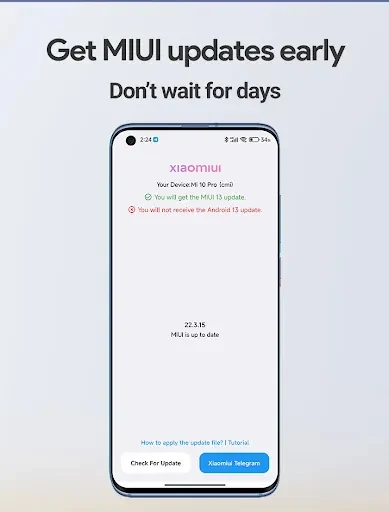
About this app
MIUI Updater is an Android Tools app from Metareverse Apps that centers on gathering firmware packages for Xiaomi devices in one place. According to its listing, the core purpose is helping owners find and obtain MIUI firmware releases without searching for them separately. The listed version is 1.0.8.
Firmware package access
The main function is access to a collection of firmware packages. The listing says the app presents the latest MIUI releases so that users can see what is available for their Xiaomi device. The stated goal is to keep devices current with new features, performance changes, and security improvements. The listing does not describe the contents of individual releases beyond these general categories.
Device scope
The listing states that the app covers Xiaomi smartphones, tablets, and smartwatches. It does not provide a model list, so owners who want to rely on it for a specific handset or wearable should first confirm that their exact model appears in the app.
Navigation and downloads
The listing describes an interface intended to make browsing and locating firmware packages straightforward. It also claims that firmware downloads are fast and reliable. These are the developer's descriptions. The listing does not provide independent measurements of download speed or reliability, so they should be read as unverified statements.
Automatic updates and changelogs
The listing's tips mention an automatic update feature that can be enabled in the app. According to the developer, this setting is meant to surface new firmware without manual checks. The same tips recommend reviewing changelog details before installing, since a changelog describes the new features and improvements in a given release. The listing does not explain how the automatic setting works in detail, including its timing or notification behavior.
Preparing before an update
The listing advises backing up important data before starting a firmware update. It describes backup and restore as a way to ease the transition during an update. It does not specify which data is included or whether the app performs the backup itself, so users should prepare their own backup with a method they trust before proceeding.
Version history
View all04 Jul 2024 · stable
Frequently asked questions
Does the listing state a minimum Android version?
No. The source data does not provide a usable minimum Android version, so compatibility with a specific Android release is not documented in the listing.