

KP VPN
KP VPN APPKP VPN is a free VPN app with one-tap connections, encrypted browsing, and servers in America, Europe, and Asia. It also provides app selection on Android 5.0 and above, plus support for Wi-Fi and mobile data connections.
App information
- Developer
- KP VPN APP
- Category
- Tools
- Package name
- com.khemtak.vpnapp
- Version
- 1.0.5
- File size
- 19.4 MB
- Requires
- Android Language:
Screenshots

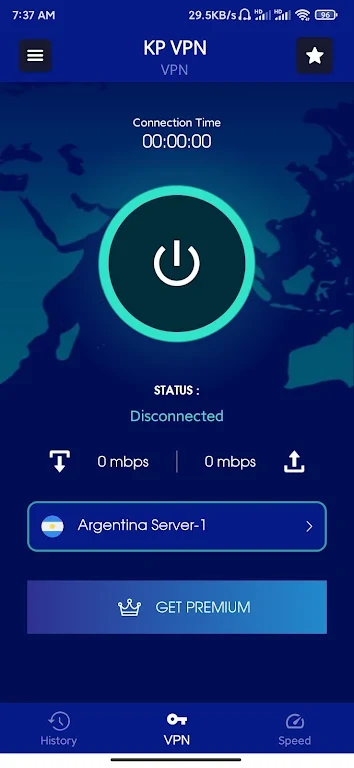
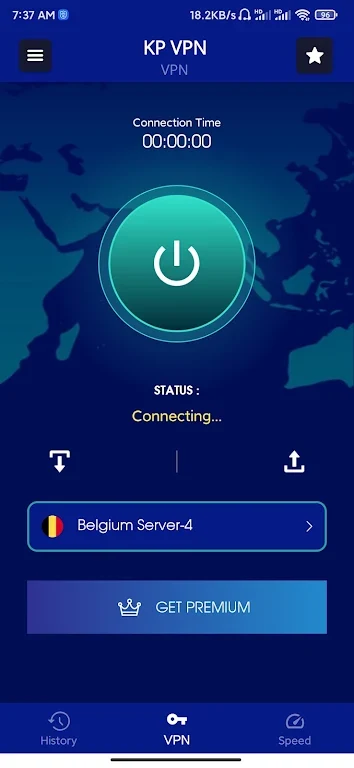
About this app
Overview
KP VPN is a free VPN app designed to help users connect to the internet through an encrypted connection with a single tap. It offers servers across America, Europe, and Asia, allowing you to change locations by selecting a flag in the interface. The app is intended for browsing on public Wi-Fi and mobile networks while adding a privacy layer between your device and the internet. Its features include a no-logging policy stated by the app, high-speed bandwidth, a compact size, and a straightforward interface for connecting to a VPN server.
What You Can Do
⭐ Connect to a VPN server with one tap. The main connection workflow is designed to be quick, so you can open the app, select a free server, and start the VPN connection without navigating through a complex setup.
⭐ Change server regions when needed. KP VPN provides servers in America, Europe, and Asia, and the source explains that users can switch locations by tapping the relevant flag. This gives you a way to choose a different regional connection.
⭐ Encrypt your internet connection. The app presents encryption as a way to make a connection more secure than a typical proxy, particularly when browsing through public Wi-Fi networks.
⭐ Select apps for VPN use on Android 5.0 and above. Instead of applying the VPN connection to every app, supported devices can be configured so that selected apps use the service.
⭐ Browse sites and use apps that may be restricted in your region. The source describes KP VPN as supporting access to geo-blocked websites, forums, news, and social networks, although availability can depend on the network and service involved.
⭐ Use the connection for streaming, gaming, and general browsing. The app describes its servers as suitable for video, live sports, television, music, and online games, with the aim of reducing buffering, lag, or latency.
Using the App
The basic workflow centers on a one-tap connection to a free VPN server. After connecting, you can change the selected region by choosing another flag, which is useful when a different server location better suits your browsing needs. The app is described as working over Wi-Fi, LTE, 3G, and other mobile data carriers, so its connection options cover both wireless networks and cellular data. On Android 5.0 and later, the per-app selection feature adds more control over which applications use the VPN. The interface is designed for easy navigation, and the small app size is intended to limit storage use.
Why It May Appeal
✅ A free service with access to multiple international regions may suit users who want to try different server locations without a complicated setup.
✅ The combination of encryption and a stated no-logging policy gives privacy-focused users two clearly presented reasons to consider the app for everyday browsing.
✅ App-level selection on Android 5.0 and above can be useful when only particular applications need a VPN connection.
✅ Support for Wi-Fi, LTE, 3G, and other mobile data connections makes the service relevant across several common connection types.
Things to Consider
❎ The source does not provide detailed information about individual server locations, connection limits, or how performance varies between regions. Claims about faster streaming, gaming, or access to restricted services may therefore depend on the selected server, network conditions, and the service being accessed.
❎ The listed minimum-system field is incomplete, so the available compatibility information is limited to the app's statement that per-app VPN selection works on Android 5.0 and above.
App Details
KP VPN is listed in the Tools category. The supplied version is 1.0.5, and the listed developer is KP VPN APP.
Version history
View all21 Oct 2024 · stable
Frequently asked questions
What is KP VPN used for?
KP VPN is used to connect to the internet through a VPN service with an encrypted connection, server selection, and optional per-app VPN use on Android 5.0 and above.
Which server regions are available?
The source lists VPN servers in America, Europe, and Asia. Users can change the selected region by tapping a flag in the app.
Can KP VPN work with mobile data?
Yes. The source states that KP VPN works with Wi-Fi, LTE, 3G, and other mobile data carriers.
Does KP VPN offer app-specific VPN connections?
On devices running Android 5.0 and above, the app allows users to choose specific apps to use with the VPN service.