

Kiwi strong vpn - unlimited free
Vpn Blue ZomeKiwi strong vpn - unlimited free is a VPN app for connecting to remote servers, accessing blocked or geo-restricted websites, and encrypting internet traffic. It also provides controls for server selection, VPN settings, and a kill switch.
App information
- Developer
- Vpn Blue Zome
- Category
- Tools
- Package name
- com.kiwi.strong_vpnfree
- Version
- 8.0
- File size
- 14.2 MB
- Requires
- Android Language:
Screenshots
About this app
Kiwi strong vpn - unlimited free is an Android VPN app for connecting to a VPN server to access blocked websites and geo-restricted content. It is designed to route internet activity through a private network when using public networks, while encrypting internet traffic and masking the user's IP address.
Access restricted websites and content
The app supports browsing websites that may be blocked by local restrictions or censorship. Users can connect to a server in another location to access content restricted to a particular country or region. This same server-location choice is intended for browsing and streaming content that is not otherwise available from the user's current location.
Server selection and connection controls
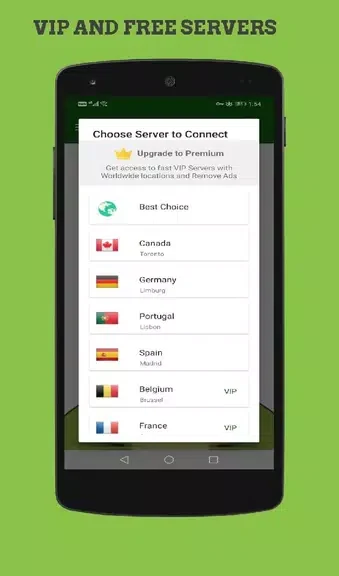
Kiwi strong vpn - unlimited free includes server locations in different parts of the world. The supplied guidance recommends choosing a server geographically close to the user when reducing latency and improving browsing speed is a priority. Connecting is described as a simple process that can be completed with a few taps, without requiring technical expertise.
Privacy and VPN settings
The app description says that it encrypts internet traffic to help protect sensitive data and masks the user's IP address. It also provides settings that users can adjust, including the VPN protocol and encryption level. These controls allow users to choose settings according to their own performance and security needs.
Kill switch protection
A kill switch is included as a connection control. When enabled, it is described as disconnecting the internet connection if the VPN connection drops. This is intended to prevent online activity from continuing outside the VPN connection during an interruption.
Typical use
A user can select a suitable server, connect to the VPN, and then browse websites or access region-restricted content through that connection. The available server and settings controls can be adjusted when the user wants a different location or a different balance between connection performance and encryption settings.
Version history
View all23 Aug 2024 · stable