

IndVPN
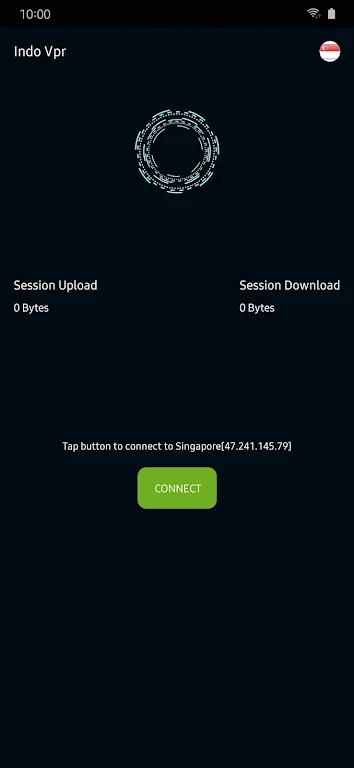
Dig Solution IDIndVPN is a virtual private network app described as encrypting internet traffic and masking a device’s IP address. Its documented controls include choosing a server, enabling automatic connection on startup, and selecting apps or websites to bypass the VPN.
App information
- Developer
- Dig Solution ID
- Category
- Tools
- Package name
- id.itsolutions.indovpn
- Version
- 1.0.2
- File size
- 59.8 MB
- Requires
- Android Language:
Screenshots
About this app
IndVPN is a virtual private network app described as routing internet use through VPN servers to support privacy and access to content that may be restricted by location. Its listed functions include traffic encryption and IP address masking, while its settings offer control over server choice, startup connections, and split tunneling.
VPN connection and server choice
The app’s description says it has servers in different parts of the world and recommends choosing one near the user’s location to reduce the distance data travels. That is a suggested way to select a server; the source does not specify connection speeds or guarantee a particular performance result. It also presents the VPN connection as a way to access websites, social platforms, and streaming services that may be blocked in a user’s region.
IndVPN is described as encrypting internet traffic and masking the user’s IP address. These are presented as privacy-related functions of the VPN. The description does not provide technical details about encryption methods or establish a particular level of protection, so the claims should not be read as guarantees of security or anonymity.
Connection settings and split tunneling
The listed settings include an option called “Auto-Connect on Startup.” The source says enabling it in the app settings initiates the VPN connection when the device starts. This provides a way to configure startup behavior, although no further details are given about connection handling or device requirements.
Split tunneling is another described control: users can select specific apps or websites to bypass the VPN connection. The source identifies local content and apps that may not work well with VPNs as possible reasons to use this option. It does not explain how selections are made or whether the same controls apply to every kind of content.
Uses described by the app
The description names web browsing, streaming, document access, downloads, and online gaming as activities for which IndVPN may be used. These examples explain the intended range of use, rather than confirming specific performance or compatibility. Overall, the documented details center on a VPN connection with server selection, optional startup connection, and selected traffic that can bypass the VPN.
Version history
View all29 Jul 2024 · stable