
HyperDark Icon Pack
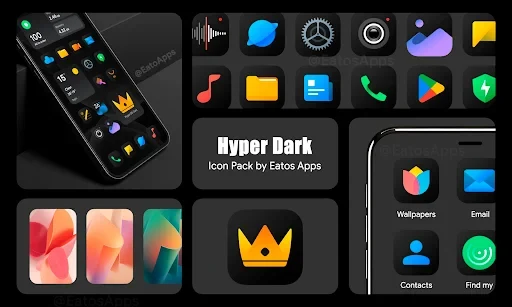
HyperDark Icon Pack is a personalization app for creating a dark, HyperOS-inspired phone interface. It includes more than 4,000 icons, over 300 coordinated wallpapers, support for several third-party launchers, and individual or complete icon customization.
App information
- Category
- Other Apps
- Package name
- com.eatos.hyper.dark
- Version
- 1.1.4
- File size
- 40.2 MB
- Requires
- Android Votes:447
Screenshots
About this app
HyperDark Icon Pack is a personalization app for users who want to give their Android interface a coordinated dark appearance inspired by HyperOS design. It combines a large collection of rounded icons with matching wallpapers, while allowing the icon set to be applied through a compatible launcher or through Good Lock and Theme Park on Samsung devices.
Creating a consistent dark home screen
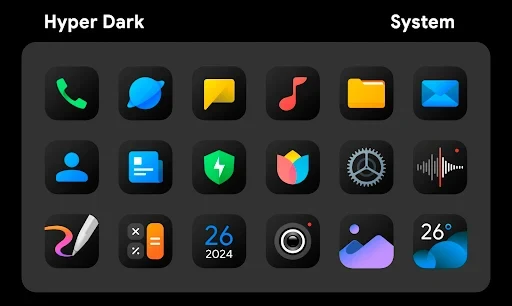
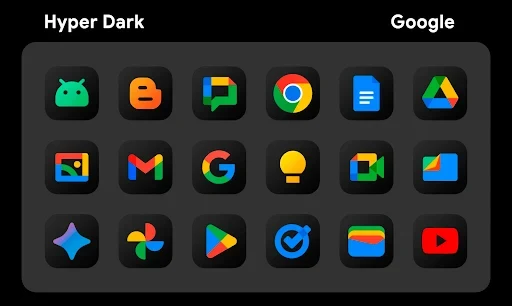
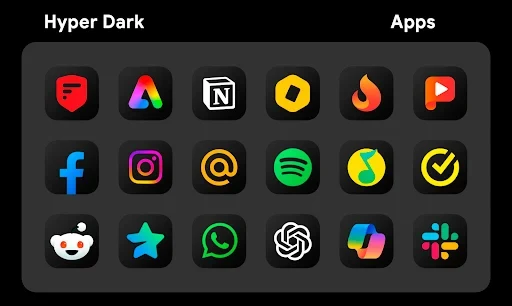
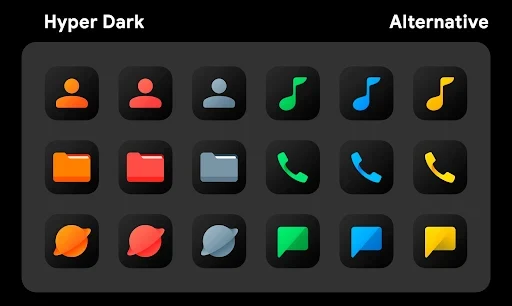
The central use of HyperDark Icon Pack is replacing standard application icons with a darker visual style. The collection contains more than 4,000 specially designed icons, with neat lines, rounded shapes, coordinated colors, and detailed artwork intended to work against dark backgrounds. The designs are inspired by the HyperOS interface but adapted for a darker presentation.
The icon set covers system applications as well as third-party apps, helping users build a more unified appearance across the home screen. When an exact icon is not being applied as part of the complete set, the app also supports changing icons individually. This makes it possible to use the overall dark style while selecting particular icons as personal accents.
Pairing icons with coordinated wallpapers
HyperDark Icon Pack includes more than 300 wallpapers created to match the icon collection's dark color palette and visual style. Many use dark tones with soft lighting effects, allowing users to select a background that does not compete with the icons. The available designs are intended for both AMOLED and standard displays.
The built-in wallpaper store keeps these backgrounds inside the application rather than requiring users to search external sources. Wallpapers are described as optimized for Full HD and 2K resolutions, so the supplied backgrounds are designed to display with suitable sharpness on screens using those resolutions. Users can apply a selected wallpaper in a few steps, then combine it with the icon set for a more cohesive arrangement.
Applying the pack through a launcher
HyperDark Icon Pack is not a standalone interface replacement. It requires a third-party launcher to apply the icons. After opening the application, users select the launcher installed on their device and then apply either the full collection or individual icons. The source specifically names Nova Launcher, Hyperion Launcher, Evie Launcher, and Apex Launcher among the supported launchers, while also describing support for additional launchers.
This launcher-based setup gives users control over how much of the interface changes. Applying the complete set provides a consistent appearance across supported applications, while individual icon changes can be used when only selected shortcuts need a new design. The app presents its available options in a clearly arranged interface intended to make these steps accessible to beginners.
Using the icons on Samsung devices
Samsung users with One UI can apply the icon collection through Good Lock and Theme Park. In this arrangement, those Samsung tools provide the route for using the HyperDark designs instead of relying only on one of the named third-party launchers. The source presents this as a way to apply the complete icon set on compatible Samsung setups.
Keeping the interface lightweight
The application is described as having an approximate size of 37–40 MB. Its icons are intended to apply and display promptly after selection, and the source presents the pack as suitable for devices with mid-range or lower-end configurations. The collection is also described as receiving icons for newly released applications over time, helping extend its coverage as users add more apps.
Alongside its primary dark designs, the collection includes some brighter color suggestions that can create contrast with the darker icons and wallpapers. Users can therefore keep the overall shadowed style or introduce selected color variations when arranging their interface. The icon artwork is presented in HD detail, with multiple themes and styles available within the collection's icon folder.
Version history
View all19 Aug 2025 · stable