

Hike Messenger
Hike Messenger combines private and group messaging with sticker suggestions, media sharing, polls, and entertainment. It also offers password-accessed hidden chats and personalized news in more than nine languages.
App information
- Category
- Social
- Package name
- com.bsb.hike
- Version
- 5.15.23
- File size
- 29.6 MB
- Requires
- Android Votes:149
Screenshots


About this app
Hike Messenger is a mobile messaging and social networking app for conversations, group communication, and sharing everyday moments. It brings text chats, stickers, photo and video capture, and file sharing into one place, with groups supporting up to 1,000 members. Beyond messaging, it includes personalized news, games, and community content. Its combination of expressive chat tools and group features may suit people who want to exchange more than plain text while keeping social content close to their conversations.
How do you find contacts and start a conversation?
Registration uses your phone number, followed by choosing a name and adding contacts. After phone-number verification, Hike shows which people in your contacts use the app, so you can choose someone to message without a separate setup process for each conversation.
To start a new chat, open the Chat icon in the bottom navigation bar and tap the plus icon near the bottom center. Select Chat from the displayed options, then choose someone from My Contacts, which contains contacts saved in your phonebook. On the conversation screen, type a message and tap Send.
What can you send besides ordinary text messages?
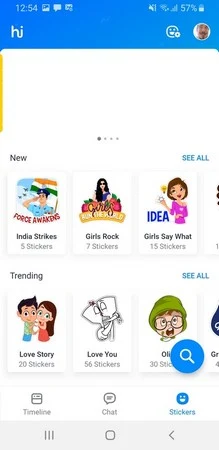
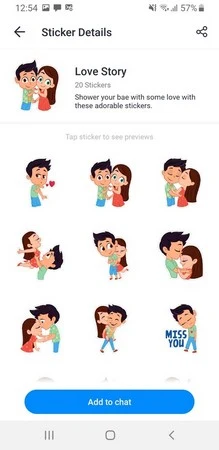
Stickers are a central part of Hike's messaging tools. As you type, the app can convert your text into a sticker or suggest stickers related to your input. This lets you respond visually rather than sending the typed words themselves. An emoji picker provides another way to add expression to a conversation.
The built-in camera can capture photos and videos, and photos can be decorated with stickers, text, and emojis before sharing with friends or on other social platforms. Within a chat, the Camera icon provides capture access, while the Attachment menu offers Camera, Gallery, Document, Audio, Contacts, and Location options. These controls cover sharing existing media, files, contact details, and your location alongside messages.
Can you hide individual conversations?
Hike includes hidden chats for conversations you do not want displayed with your other messages. You can hide specific chats, and accessing those conversations requires a password. This gives you control over the visibility of individual conversations rather than treating every chat the same way. The feature is specifically a password-based access option; it should not be confused with a documented guarantee about encryption or overall account security.
How do large groups handle files and decisions?
Groups can contain up to 1,000 members, making them relevant to larger circles that need a shared discussion space. Participants can exchange uncompressed images and files, including MP3 and ZIP files, as well as documents. This brings discussion and shared materials into the same group conversation.
Built-in polls let group members vote on a question instead of relying entirely on an extended message exchange. Examples include choosing a restaurant or deciding which movie to watch. Together, file sharing and polling support groups that need both information exchange and a way to collect preferences.
What else is included, and what availability limits are noted?
The news section presents bite-sized articles personalized to users' interests in more than nine languages, along with breaking-news alerts. Entertainment options include games and curated content from community influencers, covering subjects such as jokes and horoscopes. These features may interest people who want reading and entertainment alongside their chats.
The supplied description lists free downloading and use, hundreds of free text messages per month, and one-time rewards for inviting new users. It also notes that Hike Messenger is no longer available in many countries. That availability limitation is worth considering if you are looking for a messaging option to use with a particular circle of contacts.
Version history
View all16 Jun 2026 · stable
Frequently asked questions
How do you permanently delete a Hike Messenger account?
Log in to the mobile app and open Settings using the icon at the bottom right. Tap “Delete My Account,” enter your registered mobile number, and verify it with the OTP sent to that number. Select a reason, tap “Delete My Account” again, and choose “OK” in the confirmation popup. Confirming this action permanently deletes the account.