

Glitter Photo Frames
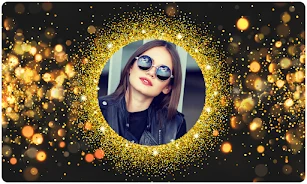
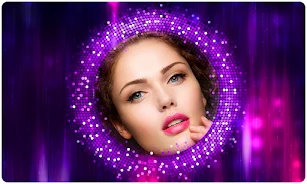
Glitter Photo Frames lets you decorate images with glitter frames, backgrounds, effects, stickers, and text. Select a photo from your gallery or take one with the built-in camera, adjust its position, then save, share, or use the finished image as wallpaper.
App information
- Category
- Photography
- Package name
- com.appbites.glitterphotoframes
- Version
- 1.1.0
- File size
- 13 MB
- Requires
- Android Language:
Screenshots






About this app
Glitter Photo Frames helps turn an existing photo or a newly captured image into a decorated picture with glitter frames and sparkling visual effects. It is intended for creating romantic, glamorous images that can be saved, shared, or set as phone wallpaper.
Starting with a gallery photo or camera image
You can choose an image from your phone's gallery or take a new photo with the app's built-in camera. After selecting a frame, the editing area lets you crop and adjust the photo to fit the composition. Drag, rotate, and zoom controls help position the image within the chosen glitter frame rather than leaving it fixed in one place.
Adding glitter decoration and personal details
The app provides a selection of glitter frames and glitter backgrounds for different photo treatments. Its glitter effects are designed to give images a bright, shiny appearance. You can also add stickers and text, allowing the finished image to include decorative elements or a written message alongside the frame and effect.
Keeping and sharing the finished image
Once editing is complete, Glitter Photo Frames allows you to save the result and share it with friends or on social networks. A completed photo can also be set as the phone's wallpaper. Unwanted edited photos can be deleted, which provides a way to remove images that are no longer needed from the gallery.
Using the editing interface
The app describes its interface as user-friendly, with the main workflow focused on selecting or capturing a photo, choosing a glitter design, adjusting the image, and adding optional decorations. The source describes the app as free and says its features are available without hidden charges.
Version history
View all21 Jun 2024 · stable