
Footej Camera
Footej Camera brings photo and video capture together with tools such as burst shooting, animated GIF creation, time-lapse, and slow-motion recording. It also offers manual exposure controls and other camera features when the device supports them.
App information
- Category
- Photography
- Package name
- com.footej.camera2
- Version
- 1.2.15
- File size
- 68.6 MB
- Requires
- Android Votes:571
Screenshots
About this app
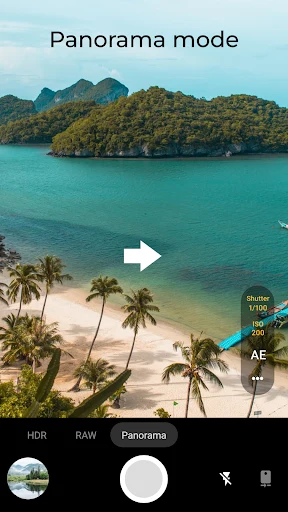
Footej Camera is a photography app for capturing photos and videos with shooting options available before and during recording. Its controls include automatic and manual camera adjustments, while modes such as burst shooting, panorama, and time-lapse support different kinds of capture. An integrated gallery provides access to captured media within the app.
Photo capture and camera controls
The app can be used for everyday pictures as well as more deliberate adjustments. Focus and exposure can be set for different areas of the preview on compatible cameras. Where the device supports the required camera functions, users can also adjust ISO, focus, and shutter speed manually. These controls allow settings to be changed for a shot rather than relying only on automatic values.
Support varies by device. Footej Camera uses the Android Camera2 API where available, and features such as manual controls, RAW capture, and panorama depend on camera compatibility. The app detects compatible hardware for manual camera options, but a device’s built-in camera app supporting a control does not necessarily mean that the same control will be available through Footej Camera.
Modes for different kinds of capture
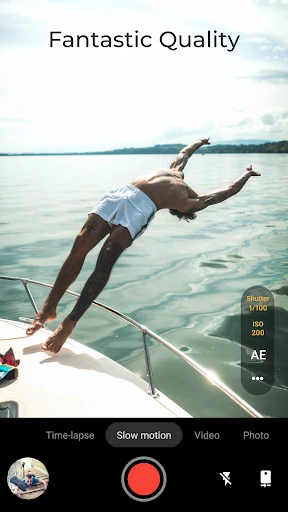
Alongside standard still photos, the listed options include burst mode, animated GIF creation, and panorama on supported devices. A self-timer light is also included. For video, the app supports slow-motion recording and time-lapse capture, and it can take snapshots while a video is being recorded. These modes bring several types of capture into the same camera app.
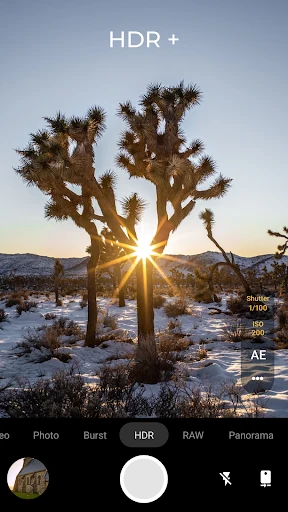
HDR+ is listed for Pixel 2 devices. The source also names a “Buzz mode,” but does not explain its function, so its purpose cannot be described here. The supported mode list should be understood in light of device compatibility where the source specifies it.
Preview and captured media
Focus and exposure are represented separately in the preview: the focus position and the area used for exposure measurement can be adjusted on compatible cameras. This provides a way to direct those settings toward a chosen part of the scene. The app also includes a gallery and slider for viewing captured media, connecting capture with in-app access to photos and videos.
Settings and sharing
Footej Camera includes a settings area for camera options, with the available controls depending in part on the device. Captured photos can be shared directly to social media. Some features are described as belonging to a premium version, but the source does not identify which specific options are included there.
Version history
View all13 May 2026 · stable
Frequently asked questions
Can I turn off the shutter sound?
The shutter sound is on by default. The app’s General section in Settings has an option to turn off shutter sounds, but that option may not be available on devices whose camera API does not support it.
What do the white and orange circles in the preview indicate?
The white circle marks the focus position, and the orange circle marks the area used for exposure measurement. If supported, you can touch or move the focus indicator and drag the orange circle to choose areas for focus and exposure.
Where are the manual ISO and shutter-speed controls?
When supported by the device, manual controls are available under Exposure settings. Open the three-dot menu and switch the Auto/Manual control; manual mode displays adjustment bars for ISO and shutter speed.