
FMPLAY – радио онлайн
FMPLAY RadioFMPLAY – радио онлайн brings together Russian radio stations with sound processing, selectable bitrates, and favorites. It also offers track history for music stations, a car mode, and Android Auto support.
App information
- Developer
- FMPLAY Radio
- Category
- Video Players & Editors
- Package name
- ru.fmplay
- Version
- 2.4.3
- File size
- 7.4 MB
- Requires
- Android Language:
Screenshots

About this app
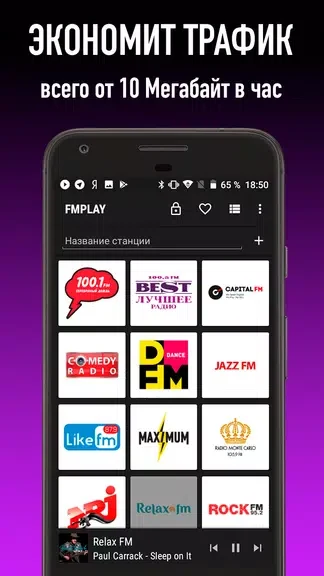
FMPLAY – радио онлайн lets you listen to Russian radio stations while choosing a stream bitrate to suit your connection and data use. The app combines online playback with sound processing, saved favorites, and a history of tracks played on music stations. It is described as offering listening without advertisements, with options for both everyday phone use and playback in the car. Support for slow 2G/EDGE connections makes its data-saving controls relevant when mobile bandwidth is limited, while Android Auto support provides another way to use it on the road.
Sound processing and bitrate selection
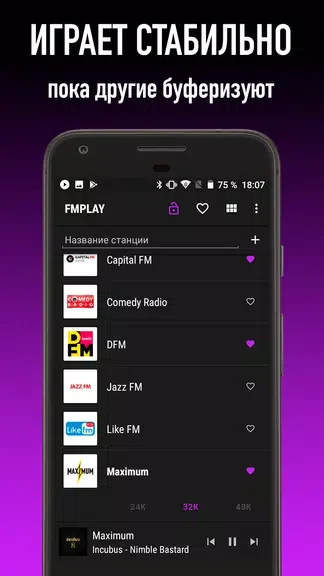
The app applies sound processing to each station with the aim of improving its audio. Separately, bitrate selection lets you adjust a station's stream: tap the lock icon to choose the desired bitrate. These controls address different parts of listening, pairing processed audio with a choice that can help balance sound quality and mobile data consumption. The source also states that playback is supported over slow 2G/EDGE networks.
Favorites for stations, history for songs
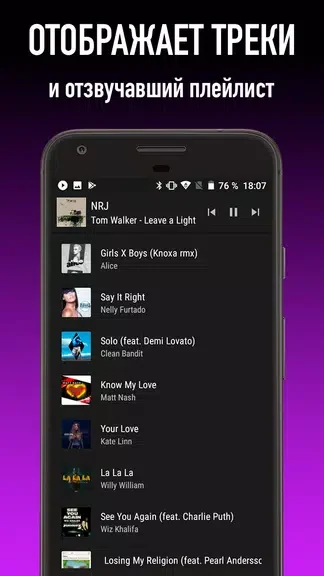
Tapping the heart icon saves a radio station as a favorite for easier access later. Track history serves a different purpose: on music radio stations, it lets you look back at previously played songs and find them on YouTube or other platforms. Together, these tools help you return to a station you like and follow up on music heard during a broadcast.
Listening through a car audio system
FMPLAY includes Android Auto support and a separate auto mode for in-car listening. The listed connection options for a car audio system are USB, AUX, and Bluetooth. These features extend the app's radio playback beyond the phone itself, with an interface described as simple to navigate.
Version history
View all24 Oct 2024 · stable
Frequently asked questions
Can FMPLAY – радио онлайн work on a slow mobile connection?
The app supports listening over slow 2G/EDGE networks and offers bitrate selection to help manage mobile data use. Tap the lock icon to select a station's bitrate.
How do I save a favorite radio station?
Tap the heart icon to add a station to your favorites for easier access later.
Can I find songs that played earlier?
Track history shows previously played tracks on music radio stations and lets you find them on YouTube or other platforms.
Does the app support listening in a car?
It includes Android Auto support and an auto mode. The listed car audio connection options are USB, AUX, and Bluetooth.