

CallApp
CallApp is a comprehensive mobile communication app designed to help you identify unknown callers, block unwanted spam calls and text messages, and manage your contacts efficiently on Android devices. Featuring advanced caller ID technology, automatic call recording options, and unified contact synchronization, the app provides extensive controls to protect your phone security and organize your messaging experience.
App information
- Category
- Social
- Package name
- com.callapp.contacts
- Version
- 2.144
- File size
- 50.1 MB
- Requires
- Android Votes:258
Screenshots
About this app
Advanced Caller ID and Identification
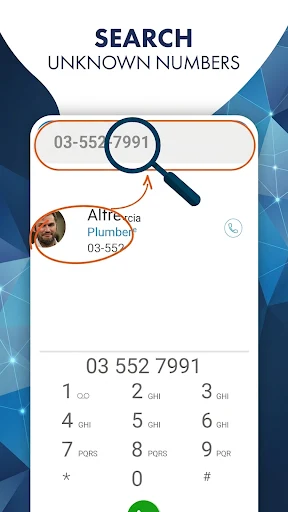
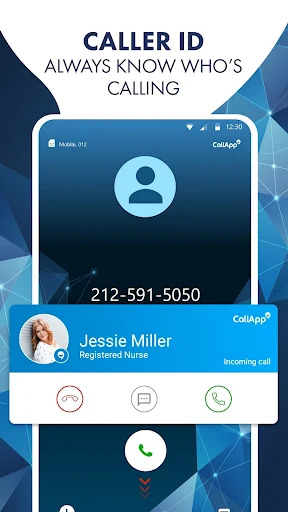
CallApp utilizes advanced caller ID technology designed to identify unknown numbers instantly by scanning a database containing over seven billion numbers. The built-in phone number lookup allows you to search for one or more numbers quickly, helping you track phonebook entries and uncover caller identities before you answer.
Spam Call and Message Blocking
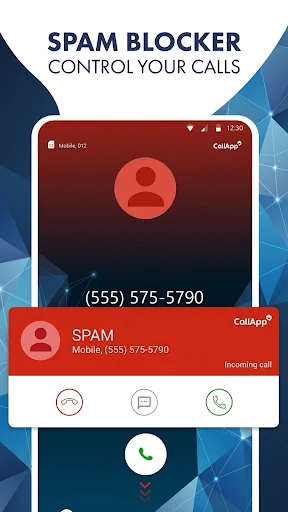
The application features robust spam blocking and detection tools to protect your information security from telemarketers, auto-dialers, scammers, and debt collectors. You can add specific numbers to your blacklist, configure prefix filters, and utilize advanced spam SMS blockers to automatically filter out unwanted text messages and prevent scam communications from returning.
Default SMS and Messaging Management
By setting CallApp as your default text messaging app, you can manage your SMS conversations more flexibly and efficiently. The system automatically categorizes and organizes your text messages into personal, favorite, and spam-blocked folders while identifying and filtering unknown or telemarketing messages.
Automatic Call Recording
CallApp includes automatic call recording capabilities, letting you capture conversations directly on your device. Depending on regional support and user preferences, you can enable automatic call recording and choose cloud backup options to store recorded files securely.
Unified Contact Management and Synchronization
The application keeps your contact data in one cohesive hub, allowing you to synchronize relationships between devices and manage information easily. Enhanced contact tools let you customize and organize entries, perform rapid searches, and automatically match incoming calls to existing contacts to streamline your communication workflow.
Usage and Setup Workflow
To begin using CallApp, open the application and grant the requested permissions for contacts, calls, and notifications. Set the app as your default texting handler if you want to organize and filter your text messages directly within the platform. Enable spam blocking, configure blacklist options or prefix filters according to your preferences, assign video ringtones to important contacts, and activate automatic call recording and cloud backup features if available in your area.
Version history
View all12 May 2026 · stable
Frequently asked questions
How does CallApp identify unknown numbers?
CallApp uses advanced caller ID technology that checks a database of over seven billion numbers and tracks your phonebook to reveal caller identities.
Can I use CallApp as my default texting app?
Yes, you can set CallApp as your default SMS app to manage, organize, and filter text messages, separating personal and spam conversations.
What permissions are required when first opening CallApp?
When prompted during setup, you must grant permissions for contacts, calls, and notifications to allow the app to function properly.
How do I block telemarketers and scammers?
You can add numbers to your blacklist, configure spam call filters and prefix filters, and utilize the automated spam blocker to stop unwanted calls and messages.