

Bixby Voice
Bixby Voice is a Samsung app for giving Android devices spoken or typed commands, including the “Hi Bixby” wake phrase, context-based hints, and tasks such as opening apps, sending text messages, and creating reminders. It requires a Samsung account and a Wi-Fi or mobile data connection.
App information
- Category
- Lifestyle
- Package name
- com.samsung.android.bixby.agent
- Version
- 3.7.40.10
- File size
- 80.4 MB
- Requires
- Android Votes:440
Screenshots
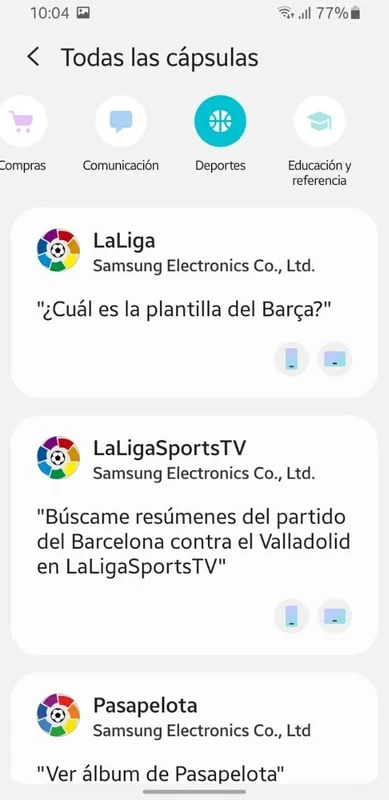
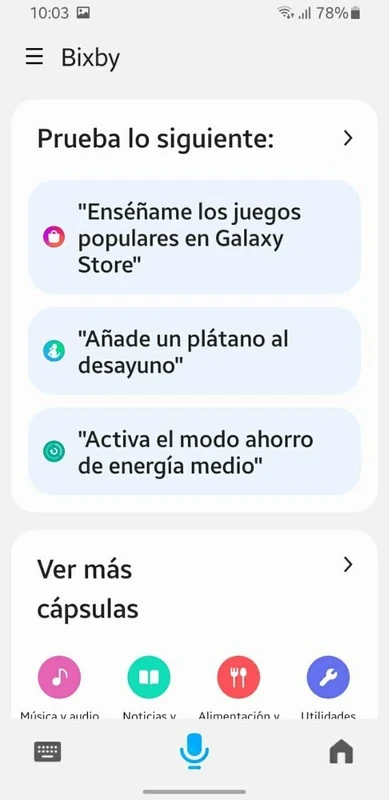
About this app
Bixby Voice is a Samsung Android app that lets you give your device commands by speaking or typing. Its main use is handling everyday requests without relying only on touch, which the source describes as useful when you want to ask for information, open apps, or manage reminders and messages.
Starting a request with the Bixby key
You can press and hold the Bixby key and say what you want, such as asking for the current time. Bixby listens while the key is held. When you release the key after speaking, it starts working on the request, so you control when listening begins and ends.
Calling Bixby without touching the phone
For situations where you prefer not to touch the phone, you can register your voice so Bixby responds when you say “Hi Bixby.” You can also say the wake phrase together with a command in one sentence, such as asking about the weather today. The source lists button-based activation as an option alongside this hands-free method.
Finding out what to say
If you are unsure which command to use, Bixby offers hints based on the app you are currently using. You can tap a hint or say it aloud. The full-screen view of Bixby Voice shows more suggestions, and tapping SEARCH FOR HINTS in that view brings up suggested commands.
Using Bixby when speaking is not practical
When talking is not convenient, you can tell Bixby what to do by typing. Combined with hints, this gives you a way to issue commands without speaking aloud.
Practical tasks and smart home control
The source says Bixby Voice can open apps, send text messages, and create reminders, and that it is designed to work with system features, including settings control and accessibility-related actions. The product description also mentions help with editing pictures, composing emails, and sending messages on command, and says the app adapts to habits and preferences. These are the developer’s descriptions and have not been independently verified.
The app is also described as giving you control over various Samsung smart home appliances, including smart TVs and refrigerators, along with other compatible devices. According to the source, accuracy and compatibility with third-party devices still have room for improvement.
Conditions and limits
Bixby Voice requires a Samsung account and a Wi-Fi or mobile data connection. The source notes that there is no incognito mode. It also states that Bixby Voice can be limited or unavailable during calls, media recording, DeX docking, and certain device modes.
Version history
View all14 Jan 2026 · stable
Frequently asked questions
Does Bixby Voice require an internet connection?
The source lists a Wi-Fi or mobile data connection as a requirement for Bixby Voice.
Does Bixby Voice have an incognito mode?
No. The source specifically lists the absence of an incognito mode as a limitation.