

Automatic Tag Editor
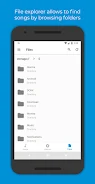
Automatic Tag Editor helps organize a music library by analyzing songs and suggesting matching tag information. It also supports manual edits to common ID3 fields, cover art selection, several audio formats, and files stored on an SD card.
App information
- Category
- Tools
- Package name
- com.fillobotto.mp3tagger
- Version
- 2.2.4.16
- File size
- 9.8 MB
- Requires
- Android Language:
Screenshots
About this app
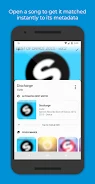
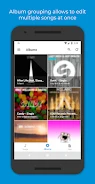
Automatic Tag Editor helps organize a music library by suggesting tag matches for songs and providing tools to edit their metadata. You can choose a suggested match or adjust individual fields, then select cover art for an album. The app is intended to help recover missing information for legally purchased songs.
Choose suggested tags or edit details
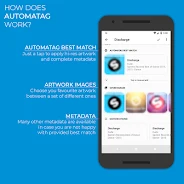
The app analyzes songs and presents close tag matches for you to review. Selecting a preferred match updates the song information, while manual editing lets you set details such as title, artist, album artist, album, genre, year, track number, disc number, lyrics, and comments. These fields provide options for organizing a collection beyond basic song and artist names.
Add cover art and work with different formats
For album artwork, Automatic Tag Editor offers high-resolution image options. Choose an image to set it as the album cover, alongside the metadata edits. The app supports MP3, M4A, OGG, FLAC, WMA, and WAV audio files, so the tag-editing tools apply to songs in several formats.
Edit files on an SD card
Editing is not limited to music stored in the device's internal storage: the app also supports editing files on an SD card. This can be useful when the collection you want to organize is kept on removable storage. Together, suggested matches, editable ID3 fields, cover selection, and support for multiple file formats address different parts of maintaining a music library.
Version history
View all01 Jun 2024 · stable