

Atube Catcher
Atube Catcher is a free video downloader for Android that saves videos from more than 50 social networks after a user pastes a link. The source lists formats such as MP4, WebM, and 3GP, resolutions up to 8K, and built-in playback and sharing, and states that YouTube and Soundcloud downloads are not supported.
App information
- Category
- Tools
- Package name
- com.zhio.Ulti
- Version
- 1.8
- File size
- 4.3 MB
- Requires
- Android Votes:590
Screenshots

About this app
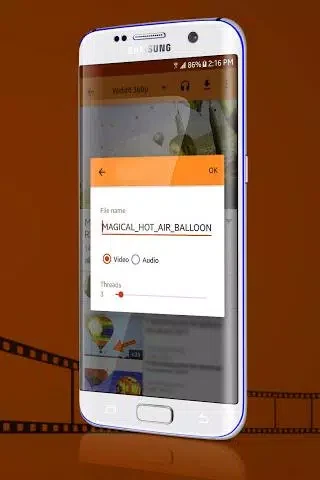
Atube Catcher is a free video downloader designed for Android devices. Its core function is detecting and saving videos from more than 50 social networks after a user pastes a video link. The source describes support for formats including MP4, WebM, and 3GP, with resolutions up to 8K.
Link-based video downloading
The main workflow in the source starts with a link. A user pastes the address of a supported video, and the app detects the video so it can be downloaded. The source also says users can enter a URL in the address bar to begin browsing videos, and that the app automatically detects video links from the browser after a link is pasted.
Formats and resolution options
The description lists MP4, WebM, and 3GP among the supported video formats. Another feature list names MP3, MP4, M4A, M4V, MOV, AVI, and WMV. The source also mentions resolution options such as 720P, 1080P, 2K, and 4K, and states that resolutions up to 8K are supported. One pros entry says users can convert video files into formats such as MP3 or AVI for playback on other devices. Before saving, the source describes selecting the media and clicking the download button.
Playback, sharing, and saved files
According to the description, Atube Catcher includes built-in video playback and sharing. The source says downloaded media can be watched offline after saving. It also describes saving videos in local playlists and browsing them from personal storage.
Background and multiple downloads
The source states that after a download begins, the user does not have to stay on the screen and can continue other activities while the files save. It also says videos and audio can be added to playlists for later downloading, and that the app can add multiple tasks. One pros entry says entire playlists can be downloaded at once rather than selecting each track individually. The source notes that download speed also depends on the internet connection.
Limitations and availability
The description states that, because of Google's policies, the app does not support downloading from YouTube or Soundcloud. The source also says the app is not listed in the Google Play Store and must be downloaded from third-party sources. It identifies this as a possible security concern, because malicious software may come bundled with an app obtained that way. The cons section also describes the interface as outdated and says the app has no parental controls or age restrictions, making it unsuitable for children under 13 due to adult content. Users who need a store-distributed app or child-oriented controls should note these documented limitations before installing.
Version history
View all10 Oct 2025 · stable