

Arcade Daze 2 Icon Pack
Arcade Daze 2 Icon Pack changes the appearance of device icons with an arcade-inspired visual style. Applying it requires a compatible launcher, with options to select a launcher through Quick Apply or the launcher's icon-theme settings.
App information
- Category
- Other Apps
- Package name
- com.architurk.arcade_daze_2
- Version
- 4.4.3
- File size
- 49 MB
- Requires
- Android Language:
Screenshots
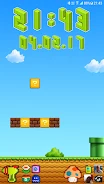
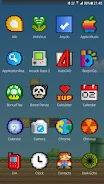
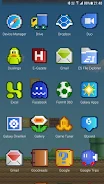
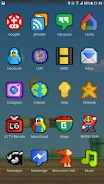
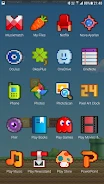
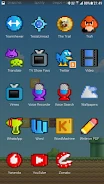
About this app
Arcade Daze 2 Icon Pack changes the appearance of icons on a phone or tablet, giving the device a visual style inspired by classic arcade games. The pack is applied through a launcher rather than functioning as a standalone home-screen replacement.
What does the icon pack let you customize?
Its stated function is to change the appearance of device icons. The design is described as arcade-inspired, so it is intended for people who want that look across the icons handled by their launcher. The source also credits the design concept to Gedeon Maheux.
Which launcher options are supported?
The pack requires a launcher that can apply icon themes. Named examples include Nova, Action, ADW, Apex, and GO; Nova, ADW, and Next are also mentioned as launcher options. The available controls and settings can vary by launcher, and the source points users to the relevant icon-theme settings for each one.
How can the pack be applied?
One option is to open the app and use its Quick Apply tab to choose a launcher. Alternatively, a compatible launcher's settings may offer an icon-theme selection, described in the source as Look & Feel followed by Icon Theme. The exact route depends on the launcher in use.
Version history
View all21 Jun 2024 · stable
Frequently asked questions
Who is credited with creating Arcade Daze 2 Icon Pack?
The source credits The Iconfactory, Inc. as its creator.