

AppMgr Pro III
AppMgr Pro III is an Android app management tool for moving applications between internal and external storage, uninstalling or freezing apps, hiding selected entries, and reviewing storage use. It also includes backup and restore, cache clearing, app categorization, widgets, customizable layouts, and root-only management options.
App information
- Category
- Tools
- Package name
- com.a0soft.gphone.app2sd.pro
- Version
- 5.74
- File size
- 7.1 MB
- Requires
- Android Votes:435
Screenshots
About this app
AppMgr Pro III is an Android app management tool for organizing installed applications and making better use of available device storage. Its documented functions cover moving apps, uninstalling unwanted software, freezing or hiding selected apps, clearing caches, creating backups, and reviewing application use. The source describes the app for Android 12 and above and also lists support for rooted-device commands.
Can it move apps between storage locations?
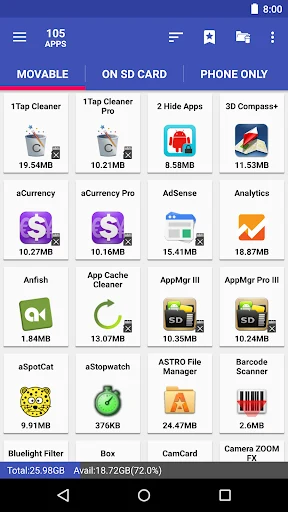
Storage management is one of the app's main purposes. AppMgr Pro III can move applications between internal storage and external storage, including transfers to an SD card. This is intended for situations where internal app storage is becoming limited and an application does not need to remain in the original location.
The description also refers to moving applications into folders on an SD card and to relocating apps without checking compatibility. That means the source presents migration as a broad management option rather than a function limited to a small group of preapproved applications. The actual availability of a move may still depend on the device and Android storage configuration; the supplied material does not document device-specific restrictions.
What uninstall and app control options are available?
The manager supports both individual and batch operations. Users can uninstall a single application or select multiple unwanted applications for removal at once. This is useful when clearing several obsolete tools rather than processing every app separately.
AppMgr Pro III also provides controls for sharing applications with friends and for viewing which applications are installed. The source describes management of app-related activities through commands in the interface, while the listed functions focus on practical actions such as uninstalling, moving, sharing, freezing, and hiding apps.
How does freezing differ from deleting an app?
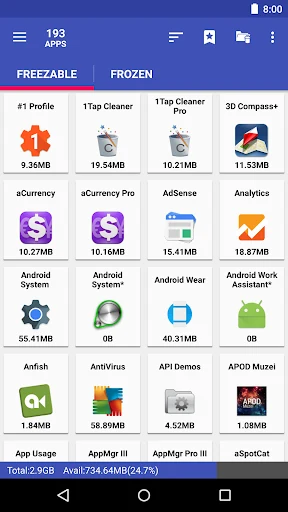
Freezing is presented as an alternative to uninstalling. Instead of removing an app, users can disable an unused application temporarily while retaining it on the device. According to the supplied description, frozen apps are intended not to use CPU or memory resources while inactive.
This option is aimed at apps that are rarely used but may be needed later. Rooted devices have additional freeze-related tools listed in the source, including a root freeze function. The material does not state that every app can be frozen on every device, so the availability of this control may depend on Android and device permissions.
Can selected apps be hidden without removing their data?
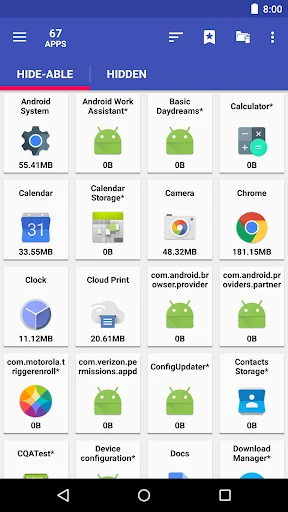
The app can hide applications from the app drawer while retaining their data on the device. The description specifically mentions hiding built-in or system apps, as well as placing hidden applications in a hidden-apps area where they can be found again.
Hiding is therefore separate from uninstalling: it changes whether an app is shown in the drawer rather than describing deletion of the application or its stored information. The source also refers to hiding apps of a sensitive nature, but it does not present this function as a security guarantee.
Does it provide backup, restore, and sharing tools?
AppMgr Pro III includes app backup and restore functions. The supplied material describes making copies of software for later restoration in cases such as data loss or device-related problems. It also refers to exporting app information so it can be stored, backed up, shared, or used when reinstalling an application after changing devices.
The description does not specify exactly which app data, settings, or account information are included in every backup. For that reason, the documented function should be understood as application backup and restoration support rather than a stated complete device backup.
How can it help with cache and storage cleanup?
Cache management is available through both one-app and batch actions. A one-tap cache cleaner is listed for quickly clearing cached data, and batch cache clearing can process caches for multiple applications in one operation. These controls are intended to remove cached content and create storage space.
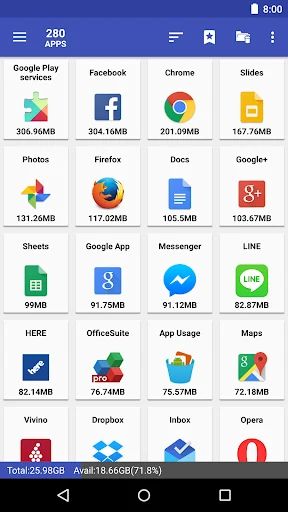
The app also shows available device capacity and information about how much space applications occupy. This gives users a way to review storage use before deciding whether to move, freeze, or remove particular apps. The source connects cache clearing with performance improvement, but it does not provide measured results or a guaranteed performance change.
Can applications be grouped and monitored?
Users can create their own app categories to make installed software easier to find and manage. Categorization is separate from hiding: categorized apps remain organized according to user-defined groups, while hidden apps are removed from the regular app-drawer view.
An app usage monitoring function is also listed. It is intended to show how applications use device resources so that users can make management decisions. The supplied information does not identify the exact measurements or reporting period, so it supports resource-use monitoring in general rather than a detailed analytics specification.
Are widgets, themes, and language options included?
Widget support provides access to frequently used app-management functions from the home screen. The source says that key features can be accessed through widgets without opening the main application, although it does not define the complete set of available widget actions.
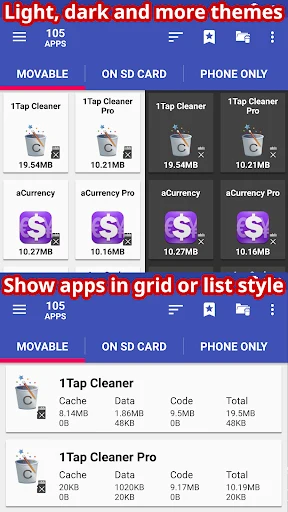
The interface includes light and dark themes and customizable designs or layouts. These settings change the appearance and organization of the manager rather than the underlying app operations. The description also mentions multiple language options, including Spanish and Korean, as well as Thai and other languages, but it does not give a complete language list.
What is available for rooted devices?
Root user support adds management commands for rooted Android devices. The examples provided include a root uninstaller, root freeze, and root app mover. These options are distinct from the general management functions because they are specifically described for rooted devices.
The source does not explain the permissions required for each command or identify which operations work without root access. Users should therefore distinguish the general features from these explicitly root-oriented tools when considering whether the app fits their device.
Version history
View all31 Dec 2024 · stable
Frequently asked questions
What version of AppMgr Pro III is listed in the source?
The supplied source lists version 5.74.
What category does AppMgr Pro III belong to?
It is listed in the Tools category.