
Any Ringtones
Any Ringtones is an Android audio app for creating personalized ringtones from your voice, audio files, video clips, and built-in sounds. It supports trimming, merging, volume adjustment, audio extraction from video, previews, contact-specific tones, and visual call customization with full-screen contact images.
App information
- Category
- Video Players & Editors
- Package name
- best.create.ringtone.maker.audio.mp3.converter.garage
- Version
- 1.10
- File size
- 98.8 MB
- Requires
- Android Votes:133
Screenshots
About this app
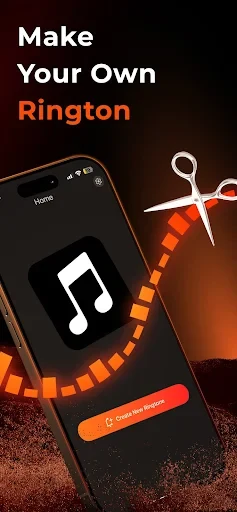
Any Ringtones is an Android audio app for creating and assigning personalized ringtones from voice recordings, audio files, video clips, and library tracks. It combines editing tools with contact and notification settings, while also offering a visual incoming-call option based on full-screen contact images.
What can be used as the starting material?
The app supports creating sounds from your own voice and from audio already available on the device. It can also work with selected sections of video files by extracting their audio for further editing. This gives users several ways to begin: a spoken recording, a music passage, a sound effect, or dialogue from a video can become the basis for a ringtone.
Users who do not have a suitable personal file can browse the integrated sound library instead. The listed library includes melodies and effects organized by genre, style, and emotion, with examples ranging from gentle and romantic sounds to lively and humorous options. These tracks can be used for ringtones, message alerts, or alarms.
Which editing controls are available?
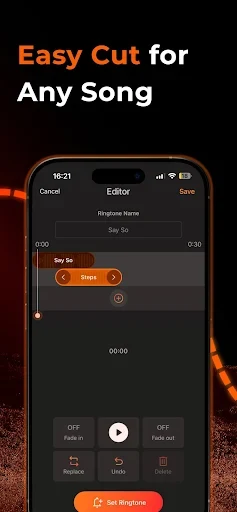
Any Ringtones provides tools for selecting the part of a track that should remain in the finished sound. Users can set beginning and ending points, trim away unwanted sections, and retain a preferred passage. The source also describes merging or layering audio clips, so a ringtone can combine more than one sound rather than relying on a single file.
Volume adjustment is included among the editing functions. The listed benefits also mention fade-in and fade-out controls, allowing users to shape how a sound begins or ends. When an edit is made, the app plays the sound in its interface so users can check the result before saving it. Library tracks can likewise be previewed before selection.
How does video-to-audio conversion work within the app?
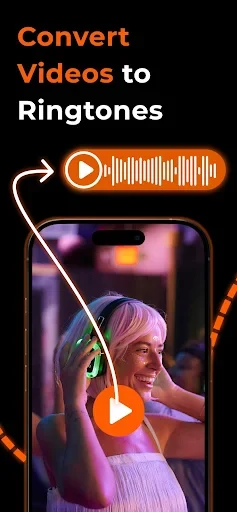
A video stored on the device can be selected as a source for audio extraction. Any Ringtones then brings the extracted sound into its editing area, where it can be trimmed, adjusted, and saved as a ringtone. This is intended for cases where the desired sound is contained in a video rather than available as a separate audio file.
The function can be used with musical passages, spoken lines, or other sounds found in a video. The source describes the resulting audio as suitable for a ringtone or notification sound after editing, but it does not specify supported video formats or a maximum clip length.
Can different sounds be assigned to calls, messages, and alarms?
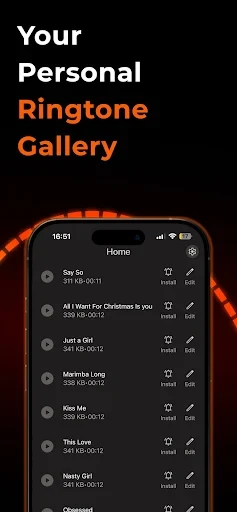
After a ringtone has been created or selected, the app can set it as a phone ringtone with a few taps. The listed controls include separate assignments for calls, messages, and alarms, so these notification types can use different sounds. This is useful when the sound itself needs to indicate whether an incoming event is a call, message, or alarm.
The app also supports assigning different ringtones to individual contacts. A selected contact can therefore have a distinct call sound, allowing the caller to be recognized from the ringtone without first checking the screen. The source describes this as a contact-level setting, although it does not provide details about the exact Android permissions or device settings involved.
What visual options accompany the custom sounds?
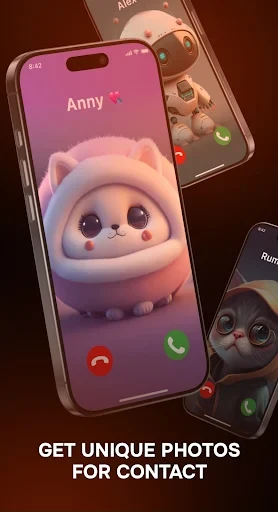
In addition to audio customization, Any Ringtones includes a photo ringtone feature described as displaying contact photos full screen during incoming calls. The supplied material presents vibrant Pixar-style artwork as an available visual style and mentions images associated with friends, relatives, anime characters, and wildlife themes.
The source also describes pairing custom wallpapers or contact images with personalized incoming-call sounds. This creates an audio-visual presentation for selected calls rather than changing the ringtone alone. The supplied information does not clarify whether the visual treatment applies to every contact or only to contacts configured by the user.
What kind of use does the app support?
Any Ringtones is suited to users who want to turn personal recordings, portions of songs, video audio, or ready-made library tracks into phone sounds. Its editing functions focus on choosing a usable segment, combining sources, adjusting volume, and checking the result before saving. The contact and notification assignments extend that customization to everyday call, message, and alarm alerts.
The app is listed under the Media & Video category, and the supplied listing identifies version 1.10. No reliable minimum Android version is provided in the source data, so compatibility requirements should be confirmed from the app listing on the target device.
Version history
View all09 Feb 2026 · stable
Frequently asked questions
What version of Any Ringtones is listed in the supplied app information?
The supplied listing identifies Any Ringtones as version 1.10.