

Always On Edge APK
Always On Edge APK adds configurable lighting around the screen edge or camera area, including effects for notifications and charging. It also offers controls for lighting patterns, colors, notification-specific behavior, live wallpapers, and other interface effects.
App information
- Category
- Other Apps
- Package name
- com.used.aoe
- Version
- 8.9.5
- File size
- 12.8 MB
- Requires
- Android Votes:505
Screenshots
About this app
Always On Edge APK is an Android customization tool for adding lighting effects to the edge of a phone screen. Its settings let you choose how the light appears, which parts of the display it uses, and how it responds to selected notifications. The app also includes options for charging effects, live wallpapers, and other changes to the phone’s appearance.
Choose an edge-lighting style
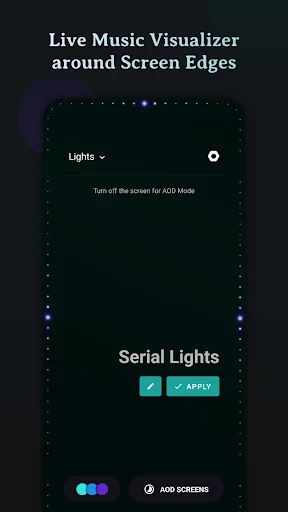
The lighting can stay fixed, move around the screen, or blink. You can apply it around the screen border or limit the illuminated area to the space around the camera. These controls let you choose both the location and movement of the effect rather than using only one preset style.
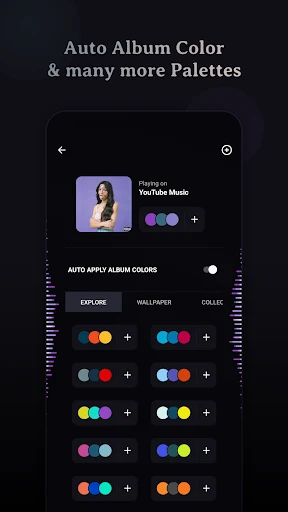
Color settings include individual colors and gradients made with up to three colors. The selected colors appear along the outside border of the screen. The app also describes controls for adjusting the overall lighting and brightness, so the appearance can be changed to suit the selected effect.
Connect effects to notifications
Lighting can be used as a visual response to notifications. The app describes associating different brightness animations with particular notification types, so the effect can vary depending on the alert. Examples in the description include messages from Telegram and Twitter, as well as missed calls. It also refers to notification lighting that can be enabled, disabled, or given a different appearance.
Additional notification controls include choosing colors for individual apps and blocking information from selected apps. The source also says the lighting can remain useful in silent mode, though it does not explain the exact behavior for each device or notification setting. Together, these options provide ways to tailor the visual alert without relying on one identical effect for every app.
Lighting for charging and other activities
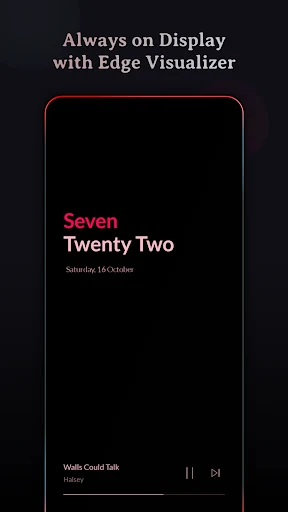
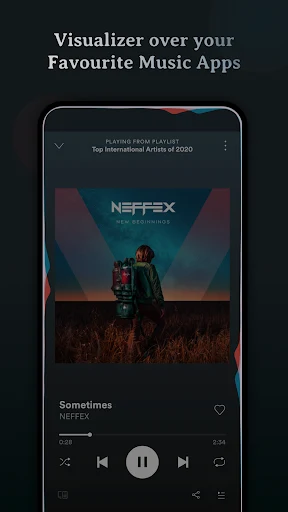
Charging is another use for the screen effects. The description mentions a charging light and a change in color when the phone is fully charged. It also refers to lighting during calls and while music is playing. These are presented as activities that can use effects, alongside notifications; the available behavior may depend on the settings and permissions used by the app.
The app’s setup description says that permissions may need to be granted before effects can run. It describes selecting the relevant device capabilities and allowing access through the appropriate permission screen, then returning to the app. The source does not specify a complete permission list, so the exact requests are not detailed here.
Wallpapers and interface changes
Beyond edge lighting, Always On Edge APK includes live wallpaper options in themes such as nature and romance. The description says some wallpaper objects can move when the screen is swiped to unlock, and that aspects of the wallpapers can be adjusted. These options provide a separate way to change the phone’s appearance alongside the border effects.
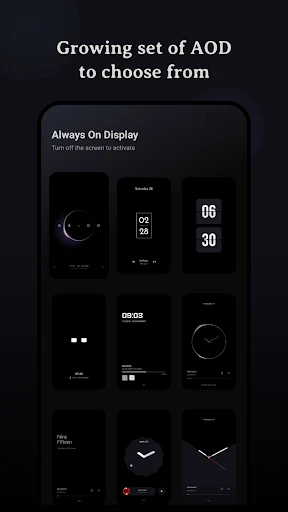
The source also describes interface styles that alter the look of screen elements, including an effect in which app icons, toolbars, and notification panels appear to fall below the screen. It mentions changing the clock display as another customization option. These features concern the visual presentation of the phone rather than the notification-light controls, so they can be considered separately when choosing how to personalize the screen.
Bringing the controls together
A typical configuration can combine a chosen lighting location, movement pattern, and color with a notification or charging effect. For example, a user can set a border gradient and select different lighting behavior for certain app alerts, while keeping a live wallpaper or interface style as a separate visual choice. The description presents these as adjustable options, rather than requiring one particular combination.
The source gives conflicting claims about battery use: it warns that the lighting may drain the battery quickly, while another passage makes an unsupported low-consumption claim. It does not provide measurements that resolve this difference, so battery impact should not be treated as established. The documented purpose remains screen customization through edge lighting, alerts, charging effects, wallpapers, and interface options.
Version history
View all09 Jul 2025 · stable