

118 118 Money
118 118 Money118 118 Money is a Finance app for checking credit card balances and transactions, making payments, and managing loan repayments from an Android device. It also includes an in-app chat with customer support and requires a passcode to be set up on the device before the app can be opened.
App information
- Developer
- 118 118 Money
- Category
- Finance
- Package name
- com.oneoneeightmoney.newmobile
- Version
- 0.418.1
- File size
- 54.3 MB
- Requires
- Android Language:
Screenshots
About this app
118 118 Money is a Finance app for managing credit cards and loans from an Android phone. According to its description, it brings balance checks, transaction tracking, payments, loan details and an in-app chat with customer support together in one app.
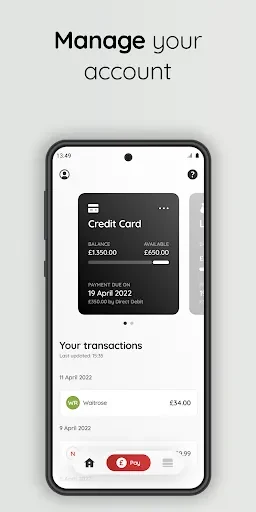
Checking credit card balances and recent transactions
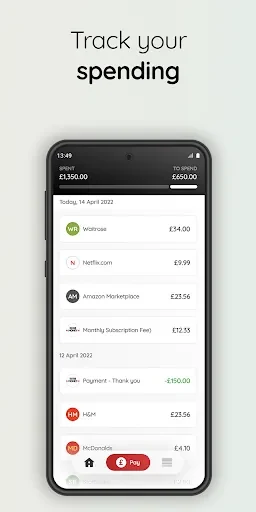
The app shows your latest credit card balance and available spend. It also lists your recent transactions, including pending ones, so you can follow your card activity between statements. The description says you can make credit card payments directly from the app. The source recommends checking your balance regularly, which can help you stay within your available spend and avoid overspending. It also suggests setting up notifications for certain spending thresholds, although the description does not explain how those notifications work.
Handling loan repayments and direct debits
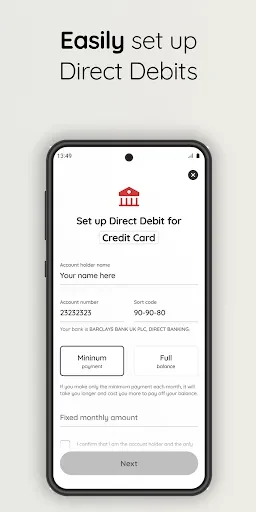
For loans, the app lets you view all related details. From there, the description says you can make monthly payments, manage existing direct debits, or set up new ones. The source also notes that loan settlements can be requested through the app. As a tip, it recommends setting up direct debit payments to help ensure timely repayments and keeping track of your annual statements.
Getting help through the in-app chat
If you have a question about your account, the in-app chat connects you with customer support. The description says this can provide quick responses and help you resolve issues without lengthy phone calls or emails. It is presented as a fast way to get support, although the source does not state support hours.
Securing access with a device passcode
Before you can open the app, the description says you need to set up a passcode on your device. The source presents this requirement as an additional layer of protection for personal and financial information. The description does not list other security measures, so the passcode requirement is the security feature it states.
Bringing the main tasks together
Taken together, the described functions center on reviewing balances and transactions, handling payments and loan tasks, and getting support from inside the app. The source describes these tools as a way to manage finances while on the go.
Version history
View all02 Sep 2024 · stable